
Privacy
Zero-Log Architecture for Browser-Native Tools
An engineering-focused privacy guide to building browser tools that minimize server visibility, avoid unnecessary file custody, and keep processing boundaries auditable.
Zero-Log Architecture for Browser-Native Tools
An engineering-focused privacy guide to building browser tools that minimize server visibility, avoid unnecessary file custody, and keep processing boundaries auditable.

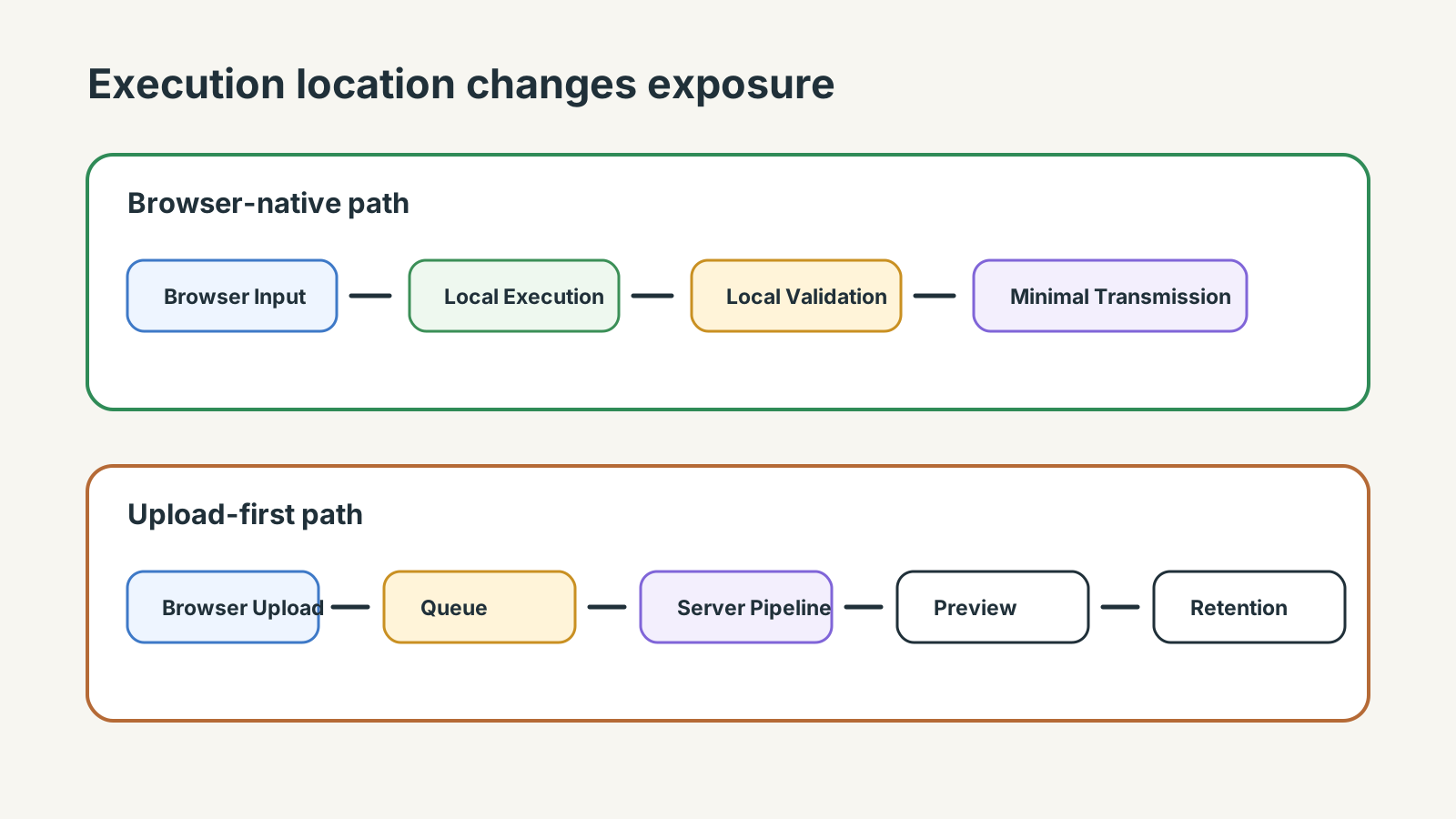
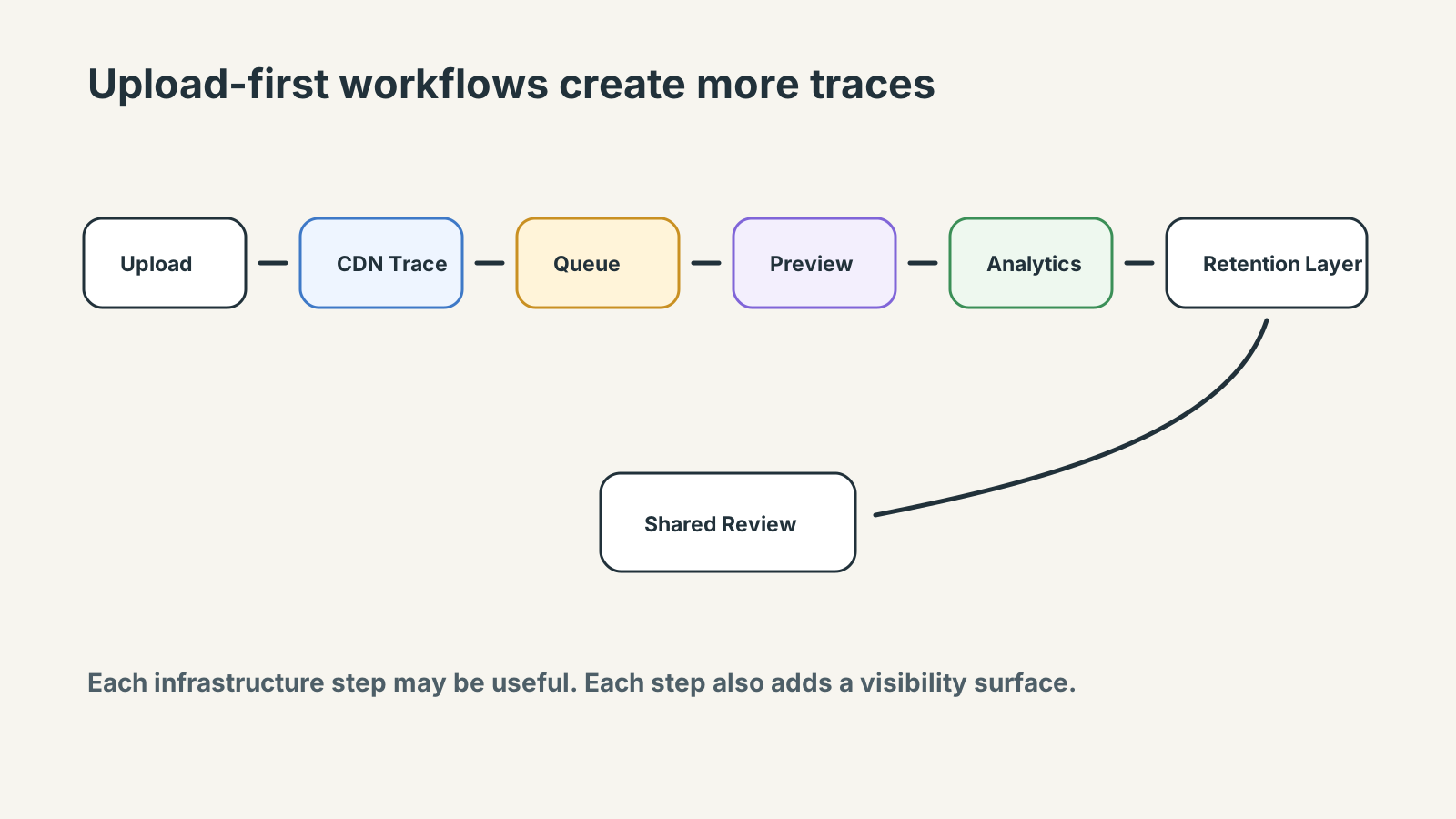
A typical privacy leak starts like ordinary product work. A PDF or image is uploaded for cleanup, a preview is generated, the job enters a processing queue, and analytics records the flow. Then the output moves into a temporary conversion system, a support thread, or a client review chain where more people and systems can see the artifact.
Zero-log architecture is easy to claim and hard to preserve in that sequence. A tool may avoid storing uploaded artifacts while still logging filenames, request bodies, queue IDs, preview traces, analytics events, or debug payloads that reveal more than the user expects.
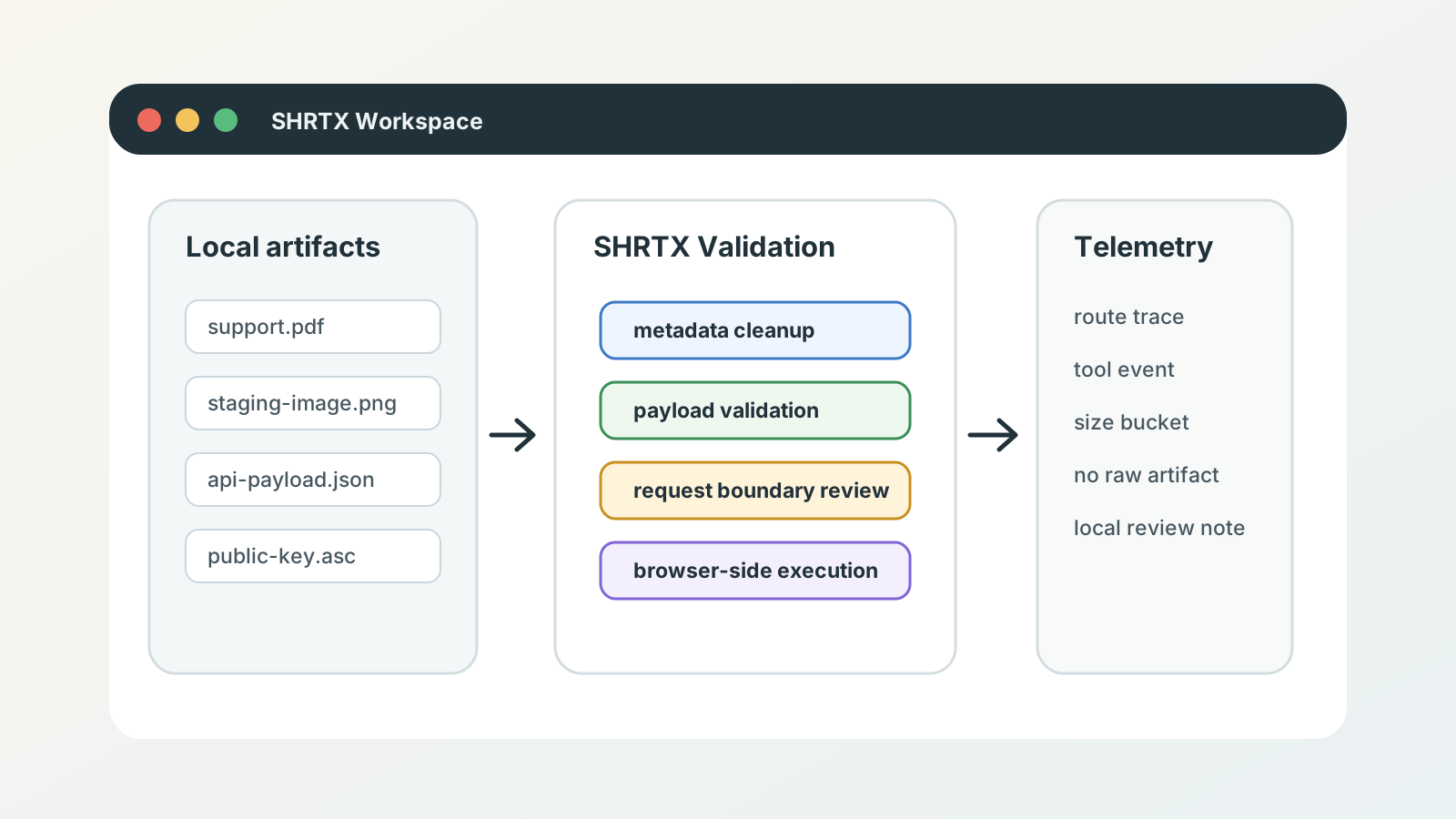
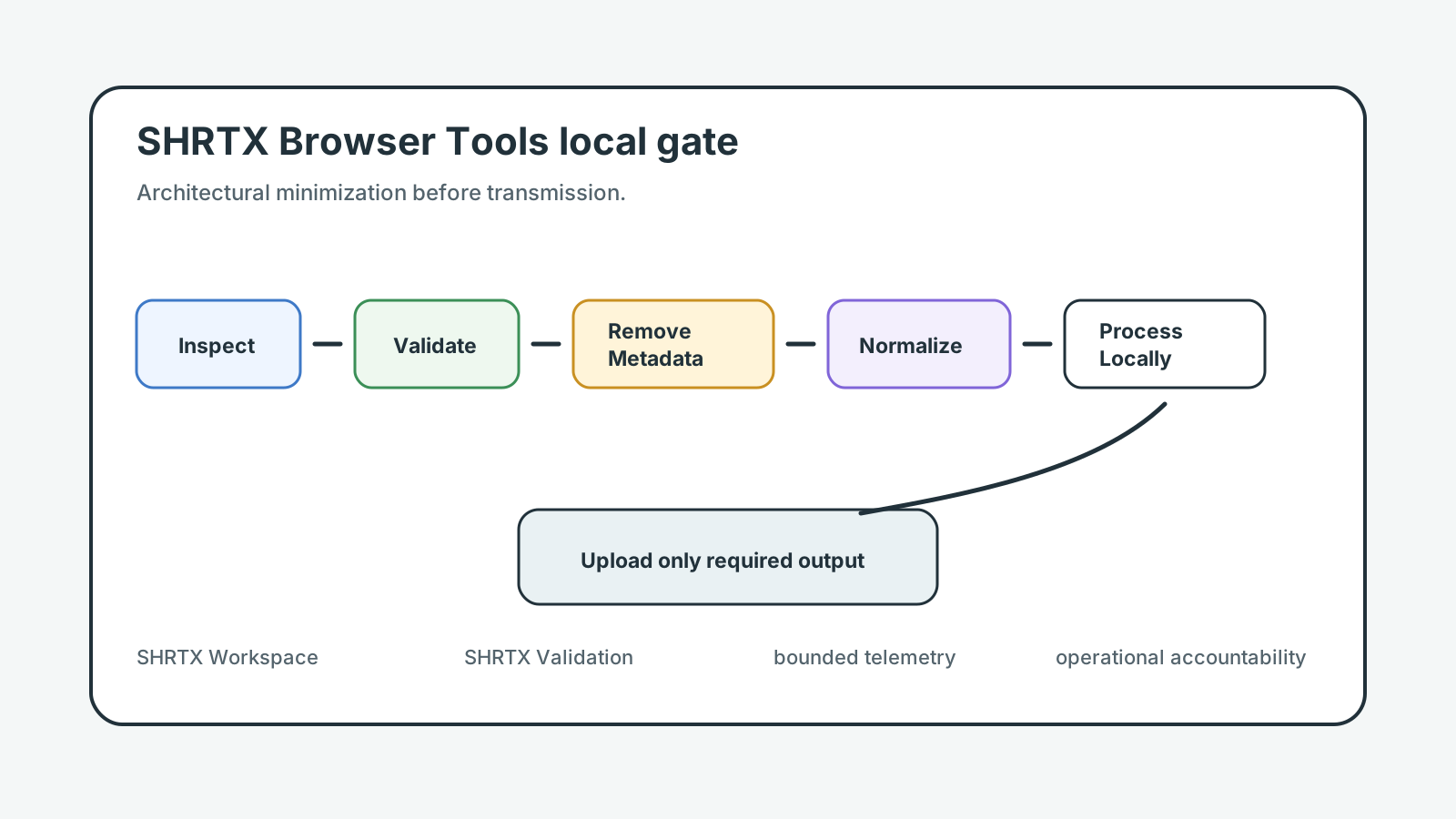
For browser tools, the cleaner architecture starts earlier: do not receive sensitive input unless the workflow actually needs a server. Local artifact inspection, formatting, compression, metadata cleanup, and payload reduction can often run in the browser with no backend data path.
The result is not a slogan. It is an execution boundary that changes what the system can see, retain, debug, and explain during real workflows.
Quick Answer
Zero-log architecture works when sensitive input does not reach the server unless the workflow requires it. It does not mean zero network visibility, zero infrastructure observability, or zero request traces. The practical goal is bounded telemetry, minimized retention, reduced processing surfaces, and inspectable execution boundaries.
Zero-Log Means Less Collection, Not Just Less Storage
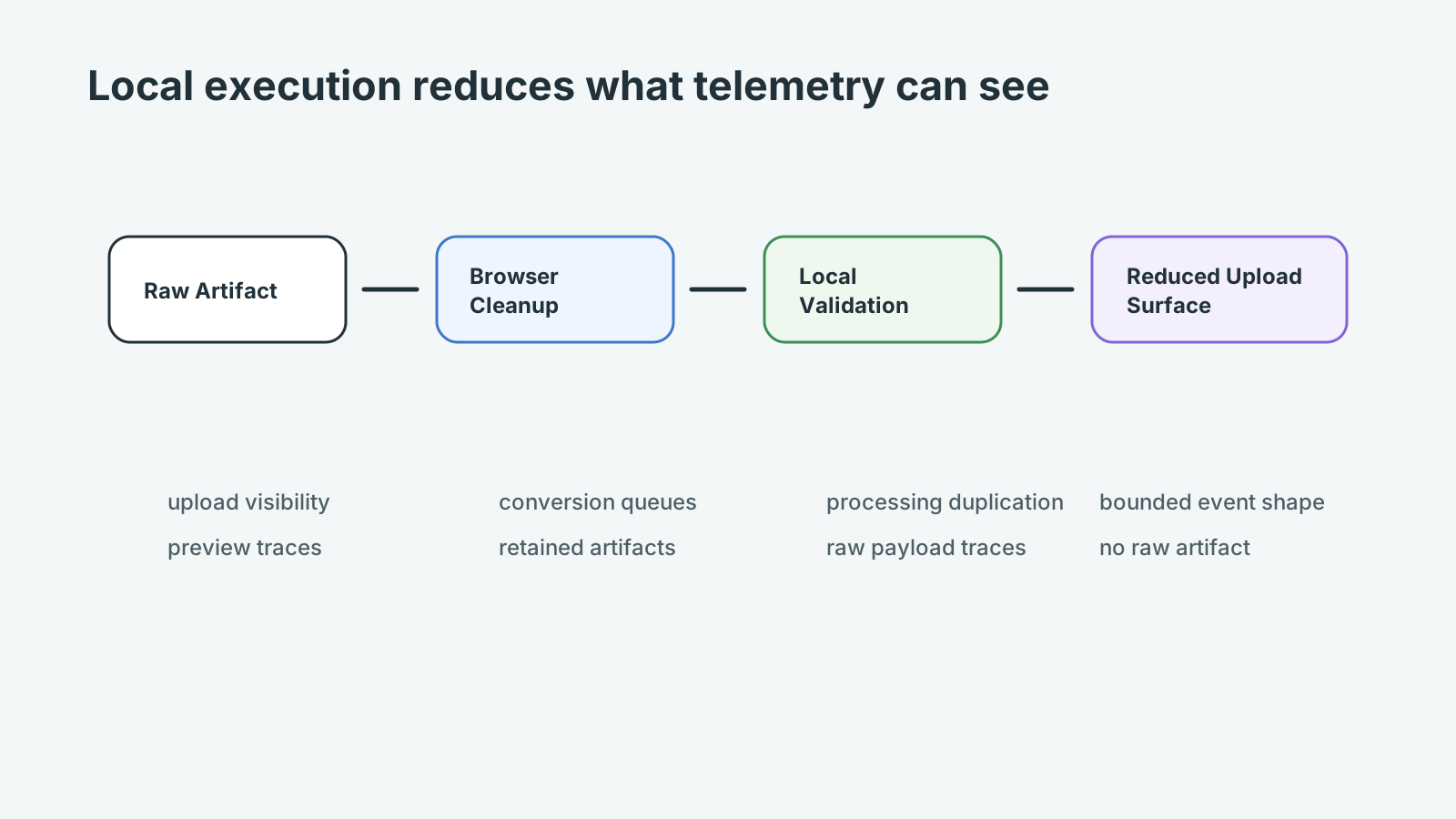
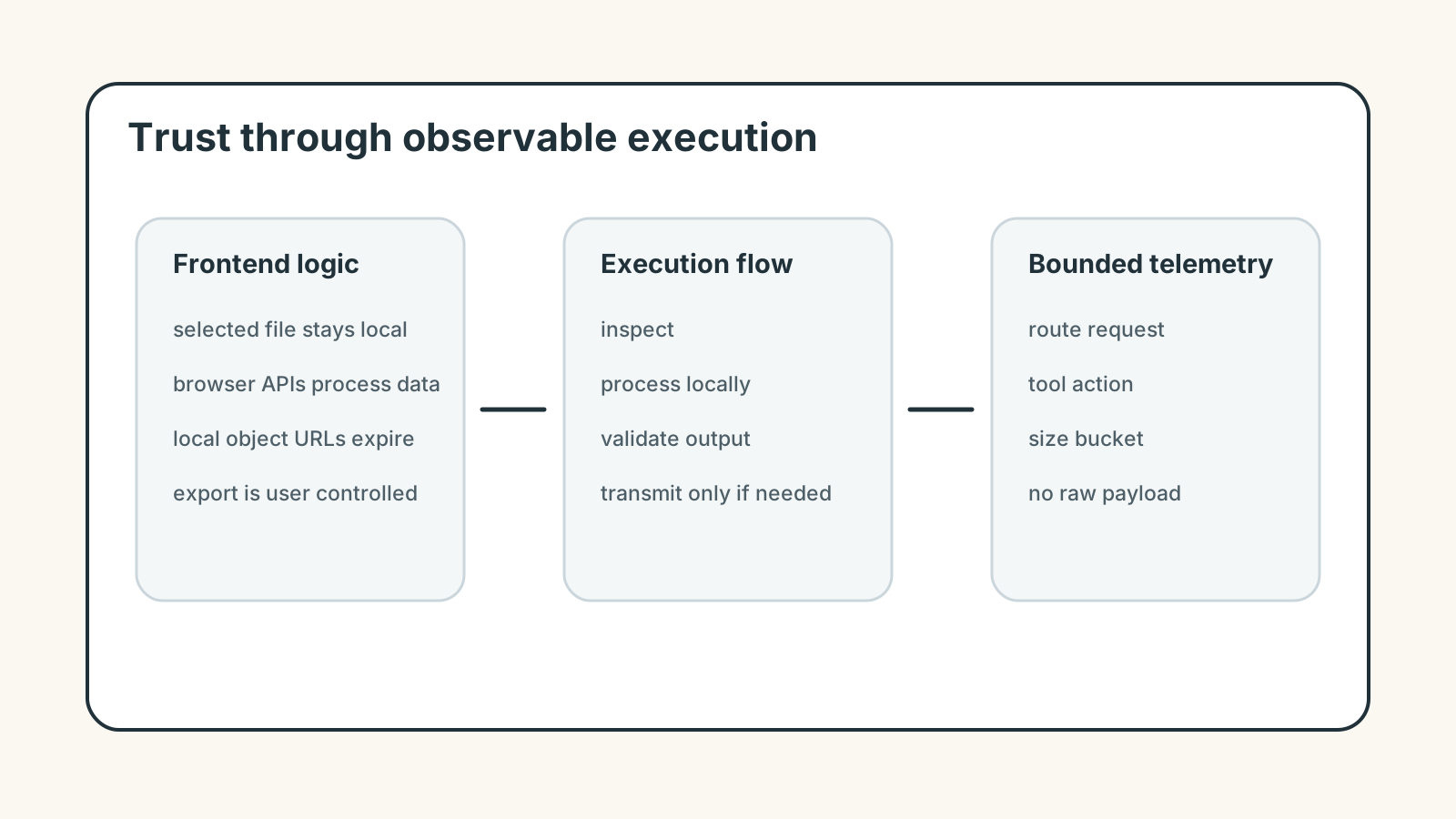
A system cannot leak what it never receives. That principle matters more than retention promises. If a file-size check, filename cleanup, image compression, or JSON formatting step runs locally, the server does not need to promise deletion. It never had the artifact.
Logs still exist for routing, security, performance, and abuse control. The architecture needs to separate operational telemetry from user content. That separation should be visible in code paths, analytics design, support workflows, and deployment review.
Browser-Native Processing Narrows the Data Path
Browser APIs can read selected-file metadata, process images, format structured text, generate local previews, and export results without uploading the input. File APIs, Canvas, Web Workers, Streams, and Web Crypto can move real preprocessing into the client when the task does not need server compute.
That matters in ordinary operations. A support attachment can be inspected before it enters a ticket. A screenshot can have metadata removed before a client review chain. A copied API payload can be reduced before it enters a debugging prompt or observability thread.
Examples include File Size Analyzer, EXIF Remover, Image Compressor, and Filename Normalizer. These tools support practical work while reducing server custody and backend logging surfaces.
What Should Still Be Logged
Zero-log does not mean blind operations. A platform may still need aggregate route metrics, CDN request traces, error rates, performance timings, abuse signals, and infrastructure health. The difference is that these logs should not contain user artifacts, raw payloads, private text, or sensitive filenames.
Operational logs should answer product and reliability questions without becoming a hidden copy of the workflow. If debugging requires user content, that should be an explicit support path, not ambient logging. Consent-aware analytics can still exist, but the event shape should describe interface behavior rather than the artifact being processed.
type ToolEvent = {
  tool: string
  action: "open" | "process" | "export" | "error"
  localOnly: boolean
  bytes?: number
}

function recordToolEvent(event: ToolEvent, consentGranted: boolean) {
  if (!consentGranted) return

  const safeEvent = {
    tool: event.tool,
    action: event.action,
    localOnly: event.localOnly,
    sizeBucket: event.bytes ? Math.ceil(event.bytes / 1024 / 1024) : undefined
  }

  navigator.sendBeacon("/analytics/tool-event", JSON.stringify(safeEvent))
}
Failure Modes in Privacy Claims
The most common failure is mismatch between copy and architecture. A page says artifacts stay private, but error telemetry captures filenames. A tool says no upload, but a preview service receives a thumbnail. A conversion queue claims temporary handling while debug traces retain request IDs tied to the original artifact.
Privacy claims need the same validation discipline as code. If the claim is visible, the architecture should make it true by default. Request boundaries, preview generation, temporary cache artifacts, and server-side processing queues all need the same review.
Designing Tool Boundaries
Each tool should define what it reads, where execution happens, what leaves the browser, and what is written to persistent state. This does not need to become legal prose inside every UI. It does need to be clear enough for maintainers to avoid accidental regression.
A text formatter, image compressor, URL checker, PGP key viewer, and DNS tool have different boundaries. Treating them all as the same privacy model creates weak promises. JSON Formatter can run on copied payloads locally, while Deep Link Builder may need only route intent and no private document content.
| Architecture Dimension | Browser-Native Local Execution | Upload-First Processing Architecture |
|---|---|---|
| Request visibility | Server sees the page request, not the selected artifact | Server receives the artifact before processing begins |
| Telemetry scope | Events can describe tool actions without raw content | Observability may include filenames, queue IDs, or payload traces |
| Temporary storage | Browser memory, local object URLs, and user export paths dominate | Upload cache, conversion queues, previews, and output stores appear |
| Debugging exposure | Failures can be reproduced with local samples or synthetic payloads | Support paths may request original user material |
| Operational auditability | Boundary can be inspected in frontend behavior and network traffic | Boundary depends on backend retention, logs, and queue policy |
Zero-Log as Maintenance Discipline
The long-term challenge is not building one private tool. It is keeping hundreds of tools aligned as dependencies, analytics, metadata, and UI patterns evolve. A safe launch can drift if a later error reporter captures payload fragments or a preview component starts sending thumbnails to a backend.
Centralized metadata resolution, capability validation, and content policy help because privacy behavior is described consistently. A browser-native platform earns trust when the implementation, schema, and article language all point to the same boundary.
Where Teams Usually Lose Time
Zero-log architecture becomes real when a small issue reaches the wrong system. A document preprocessing step uploads a PDF when only filename cleanup was needed. An image cleanup flow sends a screenshot to a server before EXIF data is removed. A copied support payload enters API observability before anyone reduces it to a representative sample.
The cost is not only the fix. It is context loss. The person who finds the issue often has to reconstruct how the artifact was created, which telemetry path captured it, and which owner can still change the architecture.
For privacy workflows, the useful lens is custody: what data enters the workflow, what remains local, what leaves the browser, and what claim the product can honestly support.
Operational Continuity
A strong workflow keeps each step connected to the next decision. If the article discusses a screenshot, the reader should understand the upload or sharing consequence. If it discusses a payload, the reader should understand the logging consequence. If it discusses AI preprocessing, the reader should understand what is reduced before remote reasoning.
Continuity is what separates workflow writing from broad advice. It lets the reader move from diagnosis to implementation without guessing the missing boundary.
Boundaries That Make the Advice Credible
Good operational guidance names limits. Browser-native processing is strong for local preparation, but it does not replace external verification, shared state, or regulated review. Automation catches repeatable drift, but human judgment still handles ambiguous meaning.
Those boundaries matter because they prevent the article from overpromising. A local tool can reduce transmission and bound telemetry, but it still has CDN traces, route requests, static asset delivery, and user-visible export behavior. Trust emerges when those surfaces are named and kept narrow.
Handoff Discipline
The handoff is where many workflow problems become visible. A support attachment reaches a ticket before filename cleanup. A screenshot reaches a client folder before metadata removal. A public key reaches a trust review before PGP Key Viewer confirms the fingerprint and key details locally.
The practical answer is not to add process everywhere. It is to add the right check before the artifact leaves the person who can still fix it quickly. That check should be small enough to run consistently and specific enough to catch a predictable failure.
Local-First Workflow Lens
A local-first lens does not mean every task must stay in the browser. It means the workflow should identify the point where local preparation is cheaper, safer, or clearer than remote processing. That point may be file inspection before upload, screenshot compression before publishing, JSON cleanup before API debugging, or route review before client handoff.
When the browser can provide the first useful answer, the workflow becomes easier to operate. The user can correct the artifact while context is still fresh. The team can avoid unnecessary retries. The platform can avoid receiving data it did not need.
The same lens keeps the guidance specific. It forces a boundary: before upload, before deployment, before indexing, before sharing, before publication, or before a remote system receives sensitive context. Once that boundary is clear, the article can stay useful without padding or keyword repetition.
Operating With Real Constraints
Real workflows have device limits, platform limits, team handoffs, old assets, inconsistent samples, and deadlines. Good guidance should survive those constraints. It should not assume perfect data, perfect network conditions, or a team with unlimited time to inspect every artifact manually.
That is why small browser-native checks matter. They give teams a way to reduce uncertainty while the artifact is still close to the source. The result is not a perfect process. It is a more reliable path from local preparation to the next system.
The constraint is also architectural. Some workflows still need server-side processing queues, durable audit logs, or shared review state. Zero-log discipline means identifying those cases instead of routing every artifact through infrastructure by default.
What to Document
The useful documentation is short. Name the artifact class, the execution location, the telemetry that exists, and the risk that remains. If an image was compressed locally, record that the original never left the browser. If a payload was cleaned, keep the representative sample rather than the raw support case.
This creates continuity without turning the workflow into a report. The next person does not need to repeat the same diagnostic step, and the team has enough context to understand why the boundary is credible. It also gives maintainers a way to catch regressions when analytics, error reporting, or preview behavior changes.
Final Takeaway
Zero-log architecture is strongest when it is designed as data minimization, not after-the-fact deletion. Browser-native execution keeps many routine preprocessing tasks local while still allowing bounded telemetry for reliability.
The trust boundary has to be inspectable in the workflow. Keep preprocessing local when the browser can do the work, make request surfaces clear, and keep logs useful without collecting the artifact. That is the operating discipline that makes the architecture credible.
Tools Referenced By Topic
File Encryption (local)
Securely encrypt or decrypt any file locally using military-grade AES-GCM 256-bit encryption.
Browser Fingerprint
Audit your unique hardware and software identity for privacy leaks.
EXIF Metadata Remover
Remove hidden camera metadata and location data from photos before sharing online.
Related Reading
Mar 19, 2026 • 12 min
Auditing Your Browser Privacy Workflow in 2026
A workflow-native guide to browser privacy audits covering fingerprinting, tracking parameters, cookies, local processing, and privacy-aware utility workflows.
Jan 23, 2026 • 10 min
The Hidden Costs of Free Cloud File Converters
A practical privacy guide to the operational risks behind free cloud file converters, upload-based processing, metadata exposure, and browser-native alternatives.
Apr 2, 2026 • 12 min
Why Browser-Based Data Masking Fits Secure Enterprise Workflows
A practical guide to browser-based data masking, PII cleanup, redaction workflows, and local-first preparation before sharing operational datasets.