
Privacy
The Hidden Costs of Free Cloud File Converters
A practical privacy guide to the operational risks behind free cloud file converters, upload-based processing, metadata exposure, and browser-native alternatives.
The Hidden Costs of Free Cloud File Converters
A practical privacy guide to the operational risks behind free cloud file converters, upload-based processing, metadata exposure, and browser-native alternatives.
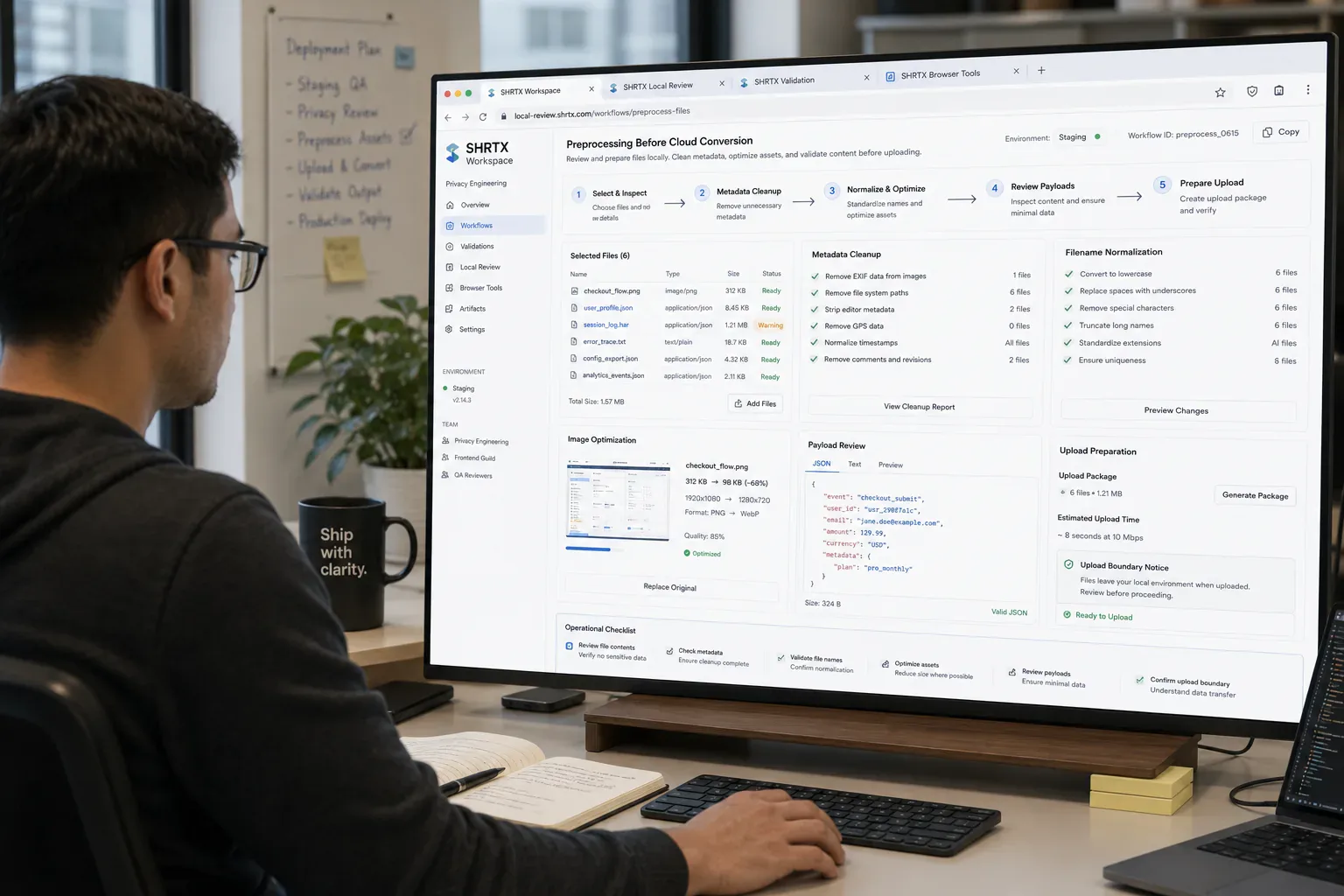
Conversion problems rarely appear during a calm cleanup pass. They show up with too many browser tabs open, a deployment checklist half-finished, and a Slack thread asking whether the client-ready package can go out today. Someone has a rejected CMS asset, a stale review PDF, an oversized screenshot export, and three people waiting for the next link.
A cloud converter often enters at that point. The fastest visible option is to drag the artifact into a converter, wait for a preview, and download the output. That quick fix can reduce review-chain friction, but it also moves the artifact into a wider workflow before anyone has checked what the artifact contains.
That shortcut can be reasonable for low-risk material. It becomes harder to defend when the artifact is an invoice batch, support attachment, staging capture, admin export, metadata-bearing asset, browser-exported payload, or audit archive. The cost is where the artifact travels, what metadata travels with it, which preview or thumbnail systems touch it, and whether the workflow needed remote processing in the first place.
Quick Answer
Free cloud converters become risky when they receive operational artifacts that only needed local preparation. Check metadata, payload size, filename context, format needs, and the processing boundary before a sensitive screenshot, CSV export, PDF, or delivery package leaves the browser.
The Risk Starts Before Conversion
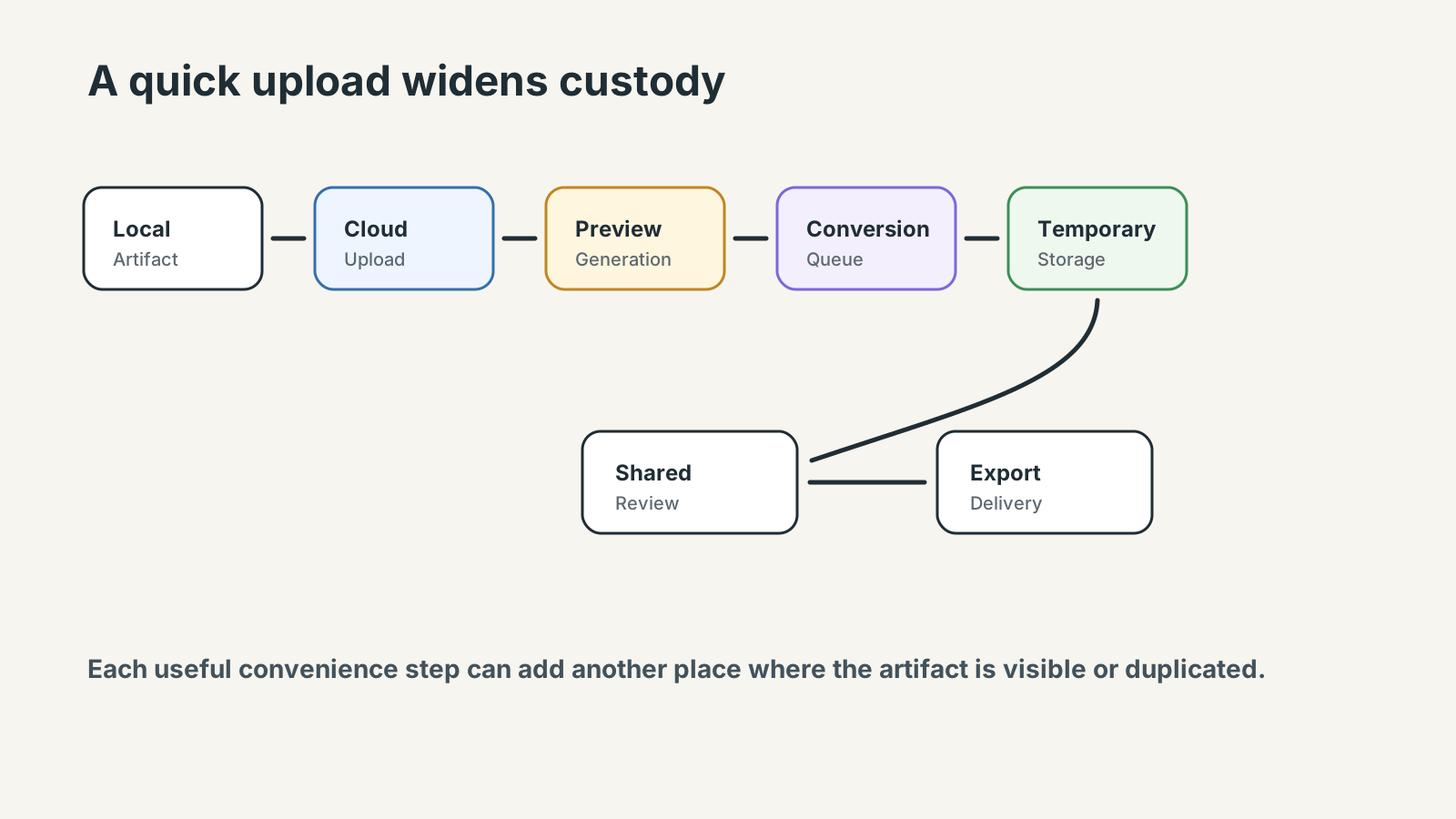
Upload-based conversion creates custody before the format changes. The provider may receive the artifact, filename, IP address, browser metadata, timing information, source format, output request, and preview behavior. Even with honest operators, the drag-and-drop step has expanded the review boundary.
Most cloud converters are not malicious systems. The operational issue is usually workflow expansion, custody visibility, retention uncertainty, and unnecessary upload surfaces. A temporary upload can still create input copies, previews, thumbnails, converted outputs, and share links that outlive the task.
Many teams discover this only after the fact. A support agent uploads a customer attachment to make it smaller for a ticket. A marketer converts staging screenshots through a service that generates cloud previews. A product lead turns a copied admin export into a spreadsheet during a deadline call. The format changes, but the privacy boundary changed first.
Metadata Is Still Data
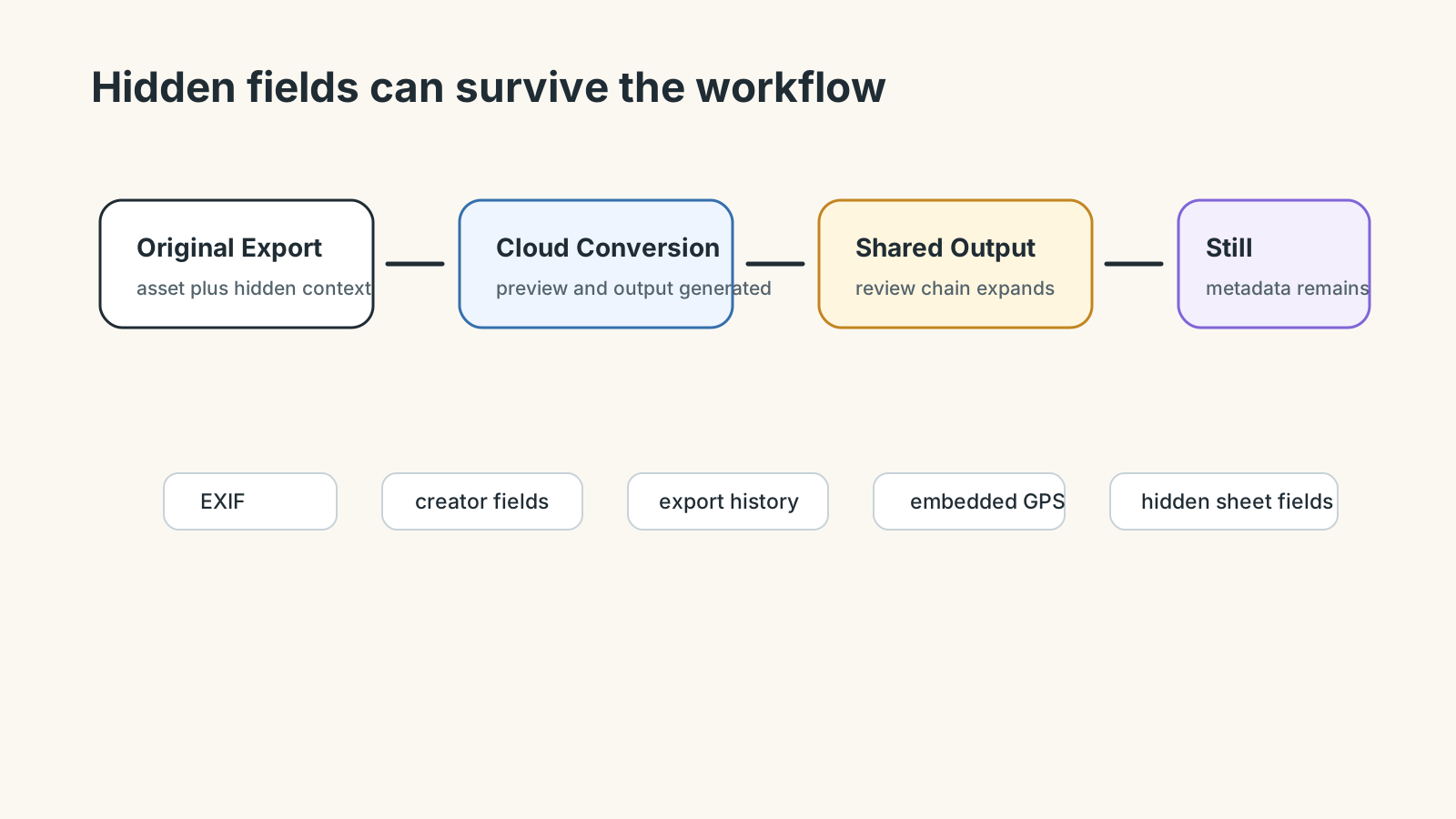
Operational artifacts carry more than visible content. Screenshots may include location or device metadata. PDFs can include author names, application history, embedded images, and form residue. Filenames can expose client names, internal project codes, invoice ranges, environments, or dates.
Before sharing media, EXIF Remover and Filename Normalizer can reduce avoidable exposure. For oversized screenshots, archived reports, or client delivery packages, File Size Analyzer helps decide whether conversion is needed at all.
When Browser-Native Conversion Fits
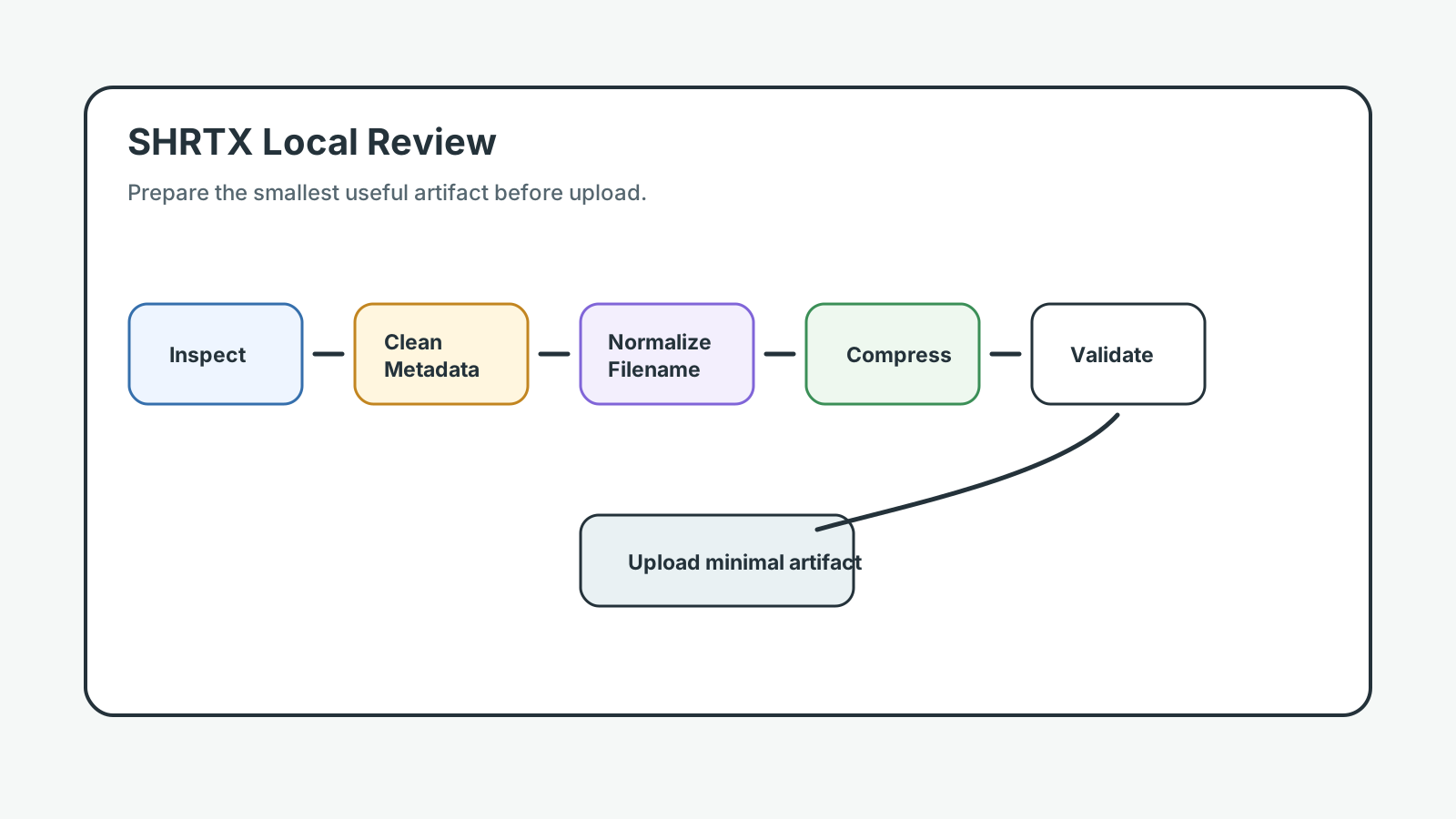
Browser-native conversion is strongest when the work can happen on the selected artifact locally. Image compression, WebP conversion, dimension checks, metadata review, payload cleanup, and size inspection often do not need server custody.
A publishing workflow might check dimensions with Image Dimension Checker, compress a QA screenshot with Image Compressor, convert suitable assets with Image to WebP Converter, and compare the final payload before CMS upload. The useful part is that preparation happens before transmission, while the person handling the artifact still knows the destination and risk.
Where Cloud Conversion Still Makes Sense
Some conversions need server infrastructure. Large video transcoding, OCR at scale, collaborative review, specialized document repair, and regulated archival systems can justify backend processing. The mistake is treating every rejected upload, preview mismatch, or client-review package as if it belongs in that category.
The operational review should ask whether the task needs remote compute or only local preparation. If the browser can complete the work accurately, cloud custody is an added exposure surface rather than a requirement.
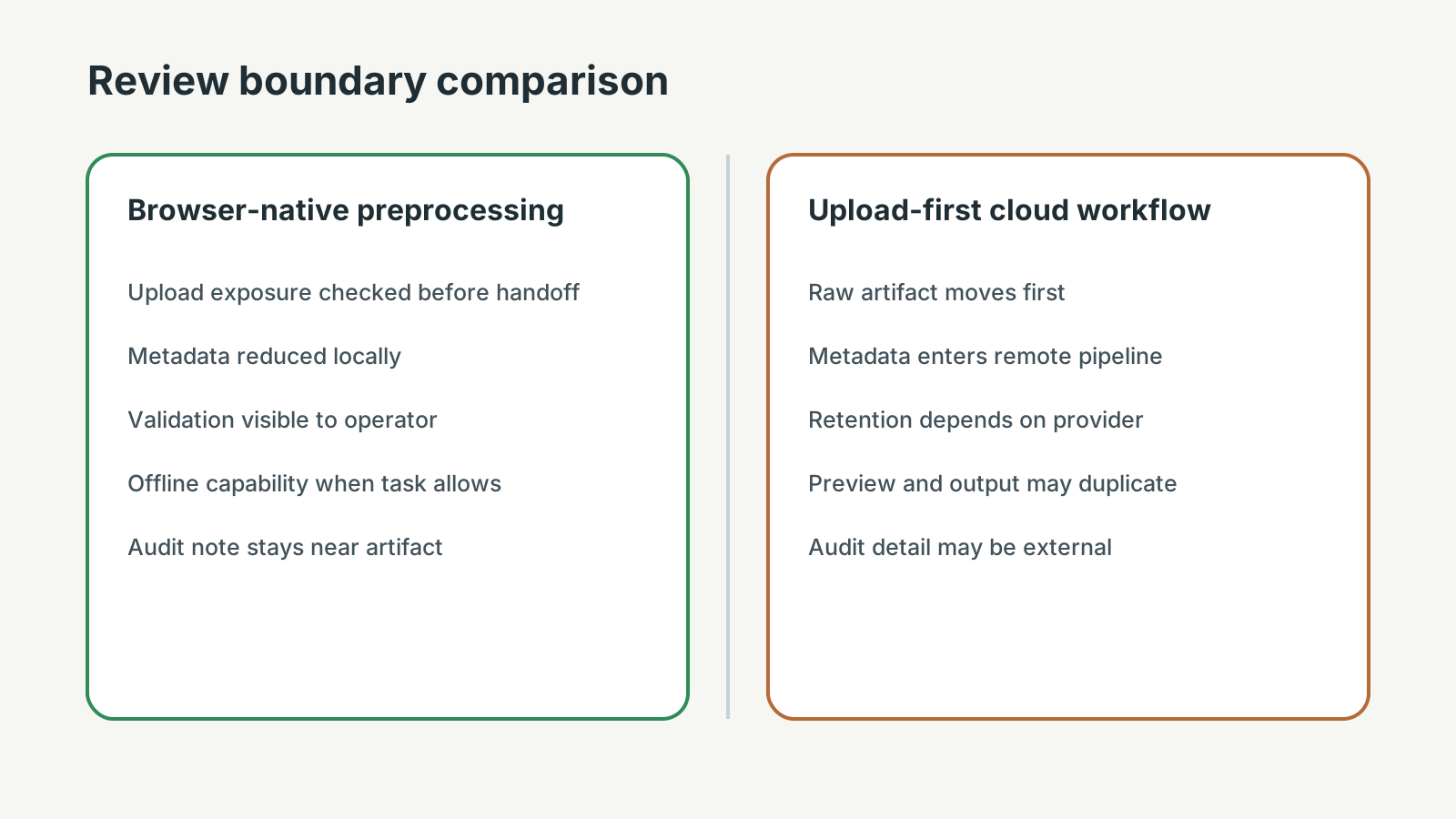
| Workflow Dimension | Browser-Native Preprocessing | Cloud-Upload-First Conversion |
|---|---|---|
| Upload exposure | Artifact is inspected before leaving the browser | Raw material reaches a remote system before diagnosis |
| Metadata persistence | EXIF data, PDF residue, and filename context can be reduced first | Metadata may enter preview, queue, cache, or output pipelines |
| Review visibility | Operator sees size, format, and destination before handoff | Review often starts after the converted output is shared |
| Artifact duplication | Local original and prepared output stay close to the owner | Input, preview, thumbnail, converted output, and share link may coexist |
| Operational auditability | The team can record what was checked before upload | Retention and queue behavior depend on the provider |
Common Workflow Mistakes
The common mistake is solving upload rejection with a random converter before diagnosing the payload. A scanned review PDF might only need compression. A PNG staging capture might need WebP conversion. A screenshot may need metadata cleanup. A client delivery batch may only need filenames normalized before handoff.
Another mistake is testing conversion with harmless examples and then using the same provider for sensitive operational material. Workflow policy should be based on the real artifact class, not on the convenience of a test run.
A Practical Review Before Upload
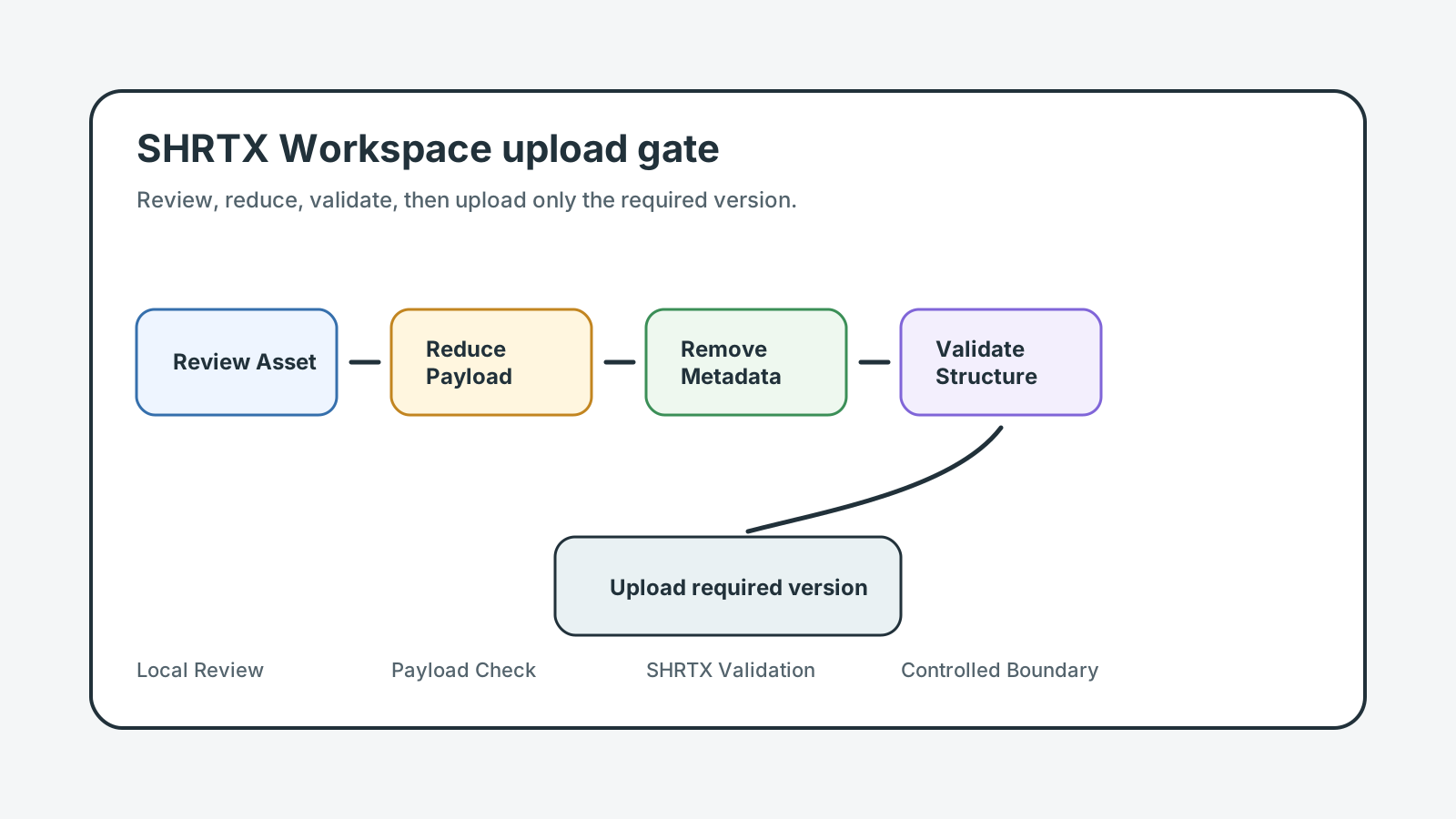
Before using any cloud converter, identify the data class, destination, required output, and acceptable custody boundary. If the artifact contains private or client material, local-first preparation should be the default path where possible.
This does not require paranoia. It requires placement discipline. Keep local work local, use remote systems when they add necessary capability, and avoid expanding custody because the first visible button was convenient.
type UploadCandidate = {
  name: string
  type: string
  size: number
}

const riskyNameParts = /(client|invoice|admin|staging|audit|contract|support)/i
const largePayloadBytes = 25 * 1024 * 1024

function reviewBeforeCloudConversion(candidate: UploadCandidate) {
  const checks = []

  if (riskyNameParts.test(candidate.name)) {
    checks.push("normalize filename before handoff")
  }

  if (candidate.type.startsWith("image/")) {
    checks.push("strip metadata and inspect dimensions locally")
  }

  if (candidate.size > largePayloadBytes) {
    checks.push("analyze payload size before choosing remote conversion")
  }

  return {
    needsLocalPrep: checks.length > 0,
    checks
  }
}
Where Teams Usually Lose Time
This topic becomes real when a small artifact issue reaches the wrong system. A screenshot is uploaded before hidden metadata is stripped. A copied staging export enters a temporary share link before column names are reviewed. An exported browser report reaches a converter that builds thumbnails, queues the job, and archives the converted output.
The cost is not only the fix. It is context loss. The person who finds the issue often has to reconstruct how the artifact was created, which constraint mattered, and which owner can still change it.
For privacy workflows, the useful lens is custody: what data enters the workflow, what remains local, what leaves the browser, and what claim the product can honestly support.
Operational Continuity
A strong workflow keeps each step connected to the next decision. If the team discusses a screenshot, the metadata and CMS consequence should be clear. If it discusses an analytics CSV, the column and retention consequence should be clear. If it discusses a browser-exported payload, the validation consequence should still be visible.
Continuity is what separates operational practice from broad advice. It lets the operator move from diagnosis to preparation without guessing whether upload, compression, cleanup, or remote conversion is the right next step.
Boundaries That Make the Advice Credible
Good operational guidance names limits. Browser-native processing is strong for local preparation, but it does not replace external verification, shared state, or regulated review. Automation catches repeatable drift, but human judgment still handles ambiguous meaning.
Those boundaries matter because they prevent the workflow from overpromising. A browser can inspect size, strip image metadata, normalize names, compress screenshots, and validate JSON. It cannot replace a governed archive, legal review system, or specialized backend pipeline when that is the actual requirement.
Handoff Discipline
The handoff is where many workflow problems become visible. A support attachment reaches a collaborative review system before its filename is cleaned. A staging capture reaches a shared client-review chain before browser chrome is cropped. An invoice PDF reaches a converter before author metadata is checked.
The practical answer is not to add process everywhere. It is to add the right check before the artifact leaves the person who can still fix it quickly. That check should be small enough to run consistently and specific enough to catch a predictable failure.
Local-First Workflow Lens
A local-first lens does not mean every task must stay in the browser. It means the workflow should identify the point where local preparation is cheaper, safer, or clearer than remote processing. That point may be screenshot compression before publishing, CSV minimization before client review, JSON cleanup before API debugging, or filename normalization before a delivery package leaves the team.
When the browser can provide the first useful answer, the workflow becomes easier to operate. The user can correct the artifact while context is still fresh. The team can avoid unnecessary retries. The platform can avoid receiving data it did not need.
The same lens keeps the guidance specific. It forces a boundary: before upload, before deployment, before indexing, before sharing, before publication, or before a remote system receives sensitive context. Once that boundary is clear, the article can stay useful without padding or keyword repetition.
A concrete version is a CMS rejection during release prep. The screenshot export is too large, the analytics CSV still includes internal columns, and the invoice package still has client names in filenames. Compress the screenshot, reduce the CSV, and normalize the invoice names locally before deciding whether any converter belongs in the chain.
Operating With Real Constraints
Real workflows have device limits, platform limits, team handoffs, old assets, inconsistent samples, and deadlines. Good guidance should survive those constraints. It should not assume perfect data, perfect network conditions, or a team with unlimited time to inspect every artifact manually.
That is why small browser-native checks matter. They give teams a way to reduce uncertainty while the artifact is still close to the source. The result is not a perfect process. It is a more reliable path from local preparation to the next system.
Deadline pressure is where cloud-upload-first habits spread. A rushed operations lead creates a temporary share link, an AI-assisted converter offers a one-click fix, and the converted output moves into a shared report. Each step may be useful, but each step also adds a place where the artifact can persist.
What to Document
The useful documentation is short. Name the artifact, the destination, the local check that was run, and the risk that remains. If a screenshot was compressed, record whether metadata was removed. If an export was cleaned, keep the representative sample. If remote conversion was still needed, record why local preparation was not enough.
This creates continuity without turning the workflow into a report. The next person does not need to repeat the same diagnostic step, and the team has enough context to understand why the artifact was ready for the next system. That note also prevents a temporary converter output from being treated as safe simply because it has already been shared.
Final Takeaway
Free cloud conversion can solve a format problem while widening the artifact lifecycle. The stronger workflow checks size, metadata, dimensions, format, payload shape, and filename hygiene locally first.
If remote conversion is still needed, the team can make that decision with a clear boundary instead of a rushed upload from a crowded browser session. Browser-native preparation keeps the handoff accountable: inspect locally, minimize what travels, document the remaining risk, and keep routine conversion work out of systems that do not need the raw artifact.
Tools Referenced By Topic
EXIF Metadata Remover
Remove hidden camera metadata and location data from photos before sharing online.
File Encryption (local)
Securely encrypt or decrypt any file locally using military-grade AES-GCM 256-bit encryption.
Browser Fingerprint
Audit your unique hardware and software identity for privacy leaks.
Related Reading
Apr 2, 2026 • 12 min
Why Browser-Based Data Masking Fits Secure Enterprise Workflows
A practical guide to browser-based data masking, PII cleanup, redaction workflows, and local-first preparation before sharing operational datasets.
Mar 7, 2026 • 9 min
Digital Sovereignty in AI Productivity Workflows
A practical privacy analysis of data control, browser-native tooling, file handling, and workflow boundaries in AI-era productivity systems.
Feb 12, 2026 • 10 min
Zero-Log Architecture for Browser-Native Tools
An engineering-focused privacy guide to building browser tools that minimize server visibility, avoid unnecessary file custody, and keep processing boundaries auditable.