
Developer
Regex Workflows for Bulk File Renaming
A practical developer guide to regex-based filename cleanup, batch renaming safety, pattern testing, media handoffs, and repository asset hygiene.
Regex Workflows for Bulk File Renaming
A practical developer guide to regex-based filename cleanup, batch renaming safety, pattern testing, media handoffs, and repository asset hygiene.

Bulk renaming usually begins with a folder that should have been organized earlier. Screenshots have spaces and dates in different formats. Product images include camera names. Exported files carry duplicate suffixes. A documentation batch is ready, except the filenames are not safe for the system receiving them.
Regex is useful here, but it is also easy to misuse. A pattern that looks correct on five samples can damage hundreds of filenames if the workflow skips review.
The operational value of regex renaming is controlled transformation, not clever pattern writing. Downstream systems need predictable artifacts: stable filenames, stable references, stable exports, and no hidden collision waiting inside a CMS upload or deployment step.
A deterministic rename is a small artifact contract. It tells the CMS, repository, build system, reviewer, and future maintainer what to expect before the batch leaves local preparation.
Quick Answer
Regex bulk renaming should be treated as a browser-local artifact workflow. Define the naming contract, test patterns against real samples, detect collisions, preserve a mapping, and validate payloads before handoff.
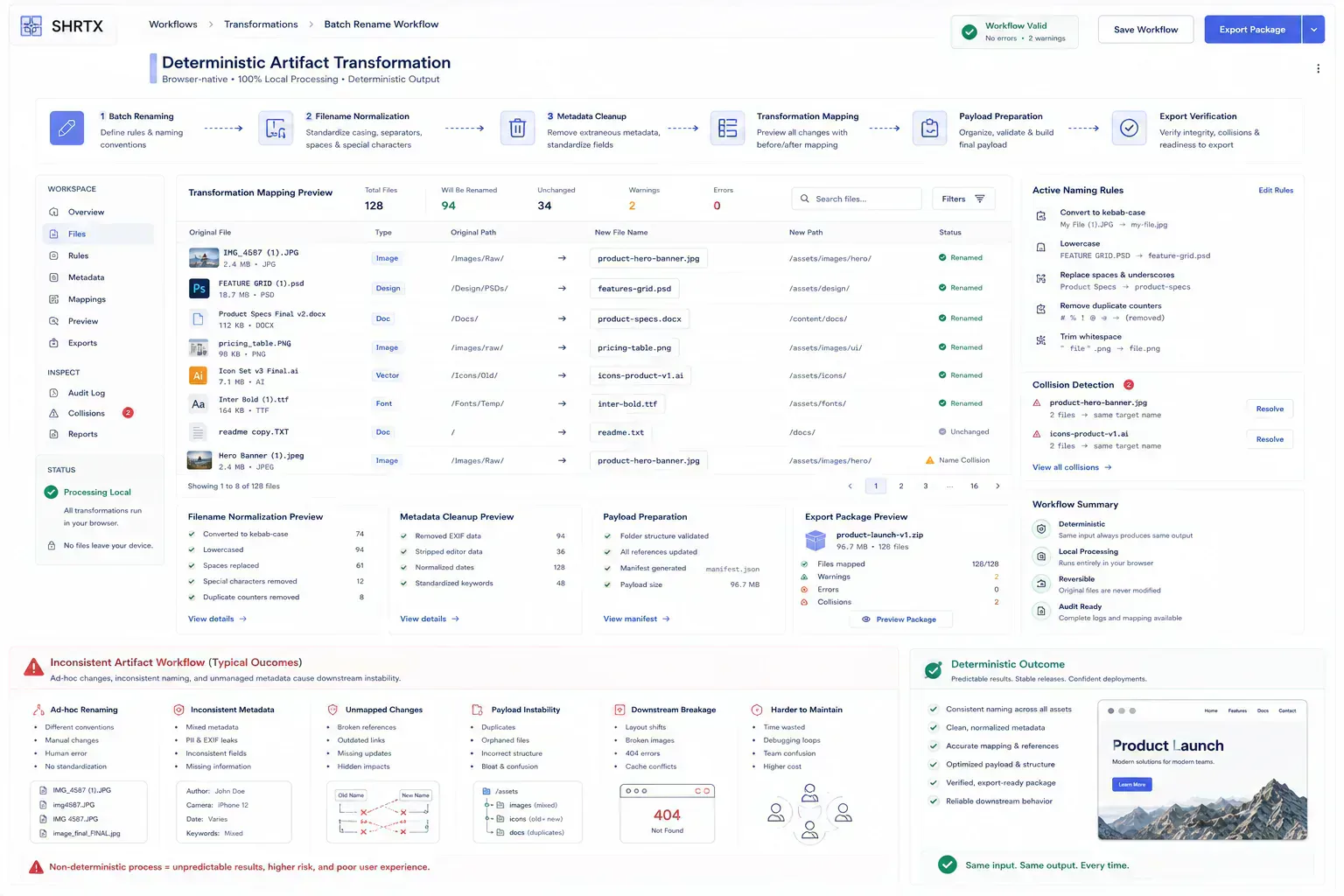
The Filename Has to Survive the Next System
Before writing a pattern, define what the filename should communicate. A web asset may need product name, dimension, language, and format. A support batch may need case ID and date. A documentation image may need section and sequence.
This prevents regex from becoming cleanup without a target. The best rename is predictable for both humans and systems.
The consequence is practical. A predictable filename is easier to reference in Markdown, map back to an export, audit after deployment, and compare against the destination system's constraints. It also reduces the quiet drift that appears when one batch uses camera names, another uses editor exports, and a third uses manually patched filenames.
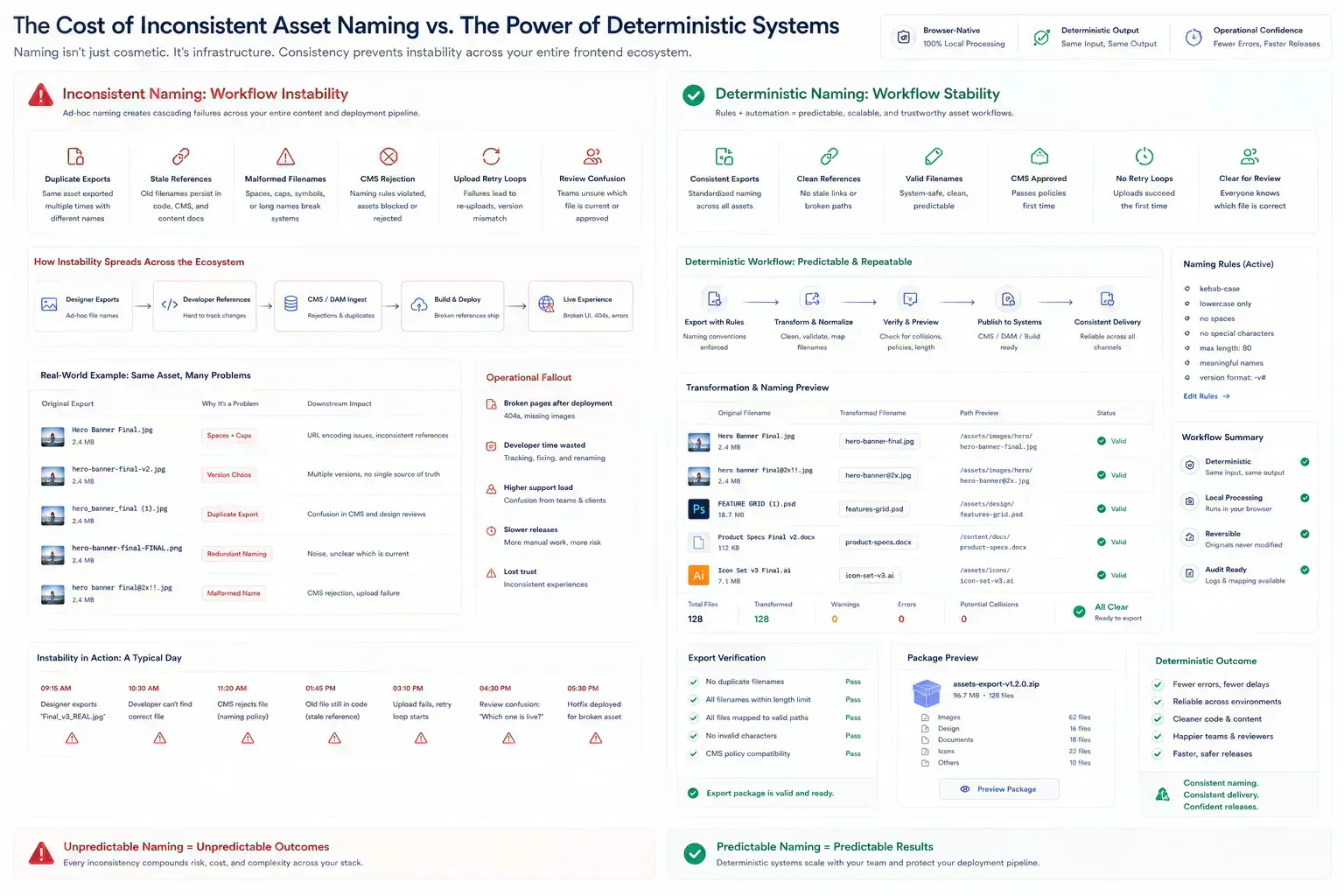
The Preview Is the Safety Boundary
Regex should be tested against real examples, including edge cases. Spaces, repeated separators, uppercase extensions, duplicate names, and missing segments should be part of the sample set.
Regex Tester helps verify the matching logic. Filename Normalizer supports safer cleanup when the task is mostly about removing unsafe characters and standardizing names.
For browser-native preparation, preview is the safety boundary. The batch should show original names, proposed names, collision warnings, and the files that did not match the pattern. Applying the transform without that local inspection turns a deterministic operation into a cleanup risk.
That preview should be treated as a transformation audit, not a cosmetic screen. If the batch will later become a ZIP handoff, CMS upload, static asset folder, or support archive, the proposed names need to survive that downstream path before the rename is applied.
const renamePlan = files.map((file) => {
  const nextName = file.name
    .toLowerCase()
    .replace(/\s+/g, "-")
    .replace(/[()]/g, "")

  return { original: file.name, next: nextName }
})

const collisions = renamePlan.filter((item, index, list) =>
  list.findIndex((other) => other.next === item.next) !== index
)
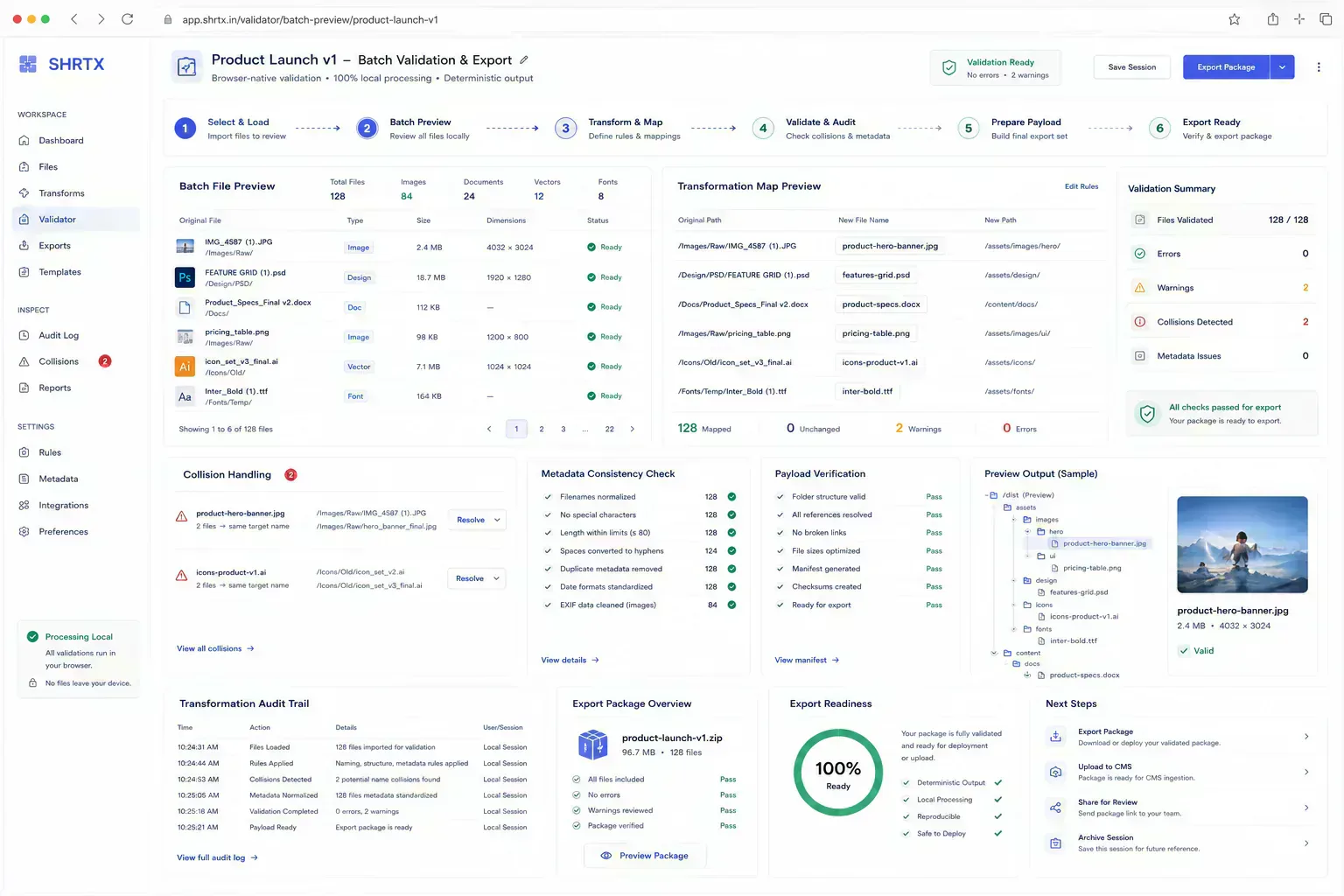
Clean Names Can Still Hide Bad Media
Renaming media without checking payload and dimensions can create a polished mess. A folder may have clean filenames while still containing oversized PNGs, inconsistent aspect ratios, or images that belong in a different format.
For publishing batches, pair filename cleanup with Image Dimension Checker, Image Compressor, Image to WebP Converter, and File Size Analyzer.
This is where naming becomes part of payload governance. A CMS rejection may start with an unsafe filename, an oversized image, or both. If the batch is prepared locally, the team can normalize names, check dimensions, inspect payload size, and export a stable set before upload retries begin.
The order matters. Rename first enough to make the batch navigable, then validate size, dimensions, and format before final export. Otherwise the team may optimize an image set and still ship filenames that break references or force another cleanup pass.
Bad Patterns Usually Surface After Export
The frequent failure is overmatching. A pattern captures more than intended and removes meaningful identifiers. Another failure is under-testing, where the pattern works for the first naming style but fails on older exports.
Teams also forget collision checks. Two different original files can normalize into the same final name. That matters during CMS upload, static-site builds, and client handoff.
Duplicate export collisions are especially expensive because they often appear after the batch leaves the person who understands the source files. A support screenshot, a product thumbnail, and a generated social image can all normalize into the same bland name if the transform ignores context.
Malformed filenames create the same kind of delay. A file that passes local review can still fail in a CMS because of parentheses, unsafe characters, uppercase extension handling, or a duplicate name already present in the media library. The fix is not difficult, but the retry loop burns context.
| Rename Behavior | Downstream Result | Operational Signal |
|---|---|---|
| Deterministic mapping | References and exports can be audited | Review stays close to the artifact |
| Collision ignored | CMS or ZIP handoff rejects the batch | Cleanup moves to a slower system |
| Context stripped from names | Different assets collapse into generic labels | Maintainers have to reconstruct intent |
Keep a Rollback Map Before Production Files Move
When the batch matters, keep a mapping of original to final filenames. That mapping helps review, rollback, and support. It also gives content teams a way to confirm that references were updated correctly.
A reversible workflow is slower than blind rename, but faster than recovering a broken asset folder after upload.
The mapping is also an audit artifact. It lets a reviewer confirm that stale asset references were updated, that no file disappeared during export, and that renamed media still matches the page or component that uses it.
For larger batches, the mapping should travel with the renamed files until the next system accepts them. That gives the reviewer a way to spot stale references, duplicate exports, and asset mismatches without reconstructing the batch from memory.
Stop Automation Where Meaning Starts
Regex can standardize structure. It should not decide business meaning without review. Product codes, locale markers, campaign names, and legal identifiers may look like noise but carry operational meaning.
The safest rename workflow combines pattern testing, preview, collision detection, payload checks, and a final human scan for meaningful exceptions.
That boundary matters because deterministic does not mean context-free. A browser-local batch workflow can make the transform repeatable, but it still needs a person to confirm that the repeated rule matches the business meaning of the files.
One Pattern Can Stall a CMS Batch
Regex workflows for bulk file renaming are most relevant when a small naming issue reaches the wrong system. The image is uploaded before its filename is safe. The static build references an old asset path. The CMS receives duplicate names and rejects the batch. A deployment review stalls because nobody knows which export created which file.
The cost extends beyond the fix. It is context loss. The person who finds the issue often has to reconstruct how the artifact was created, which constraint mattered, and which owner can still change it.
For developer workflows, the useful lens is artifact ownership: source file, proposed filename, destination system, reference path, payload size, and rollback mapping. If any one of those is missing, the next person inherits a guessing problem rather than a clean handoff.
Preserve Why the Batch Changed
A strong workflow keeps each step connected to the next decision. If the article discusses a file, the reader should understand the upload or sharing consequence. If it discusses frontend structure, the reader should understand the responsive or rendering consequence. If it discusses search, the reader should understand how crawlers and previews interpret the page.
Continuity is what separates workflow writing from broad advice. It lets the reader move from diagnosis to action without guessing the missing step.
For file renaming, continuity means the sequence should stay intact: inspect the source batch, preview the transform, resolve collisions, validate media payloads, export the mapping, then upload or commit. Skipping one step usually moves the cleanup into a slower system, where the person fixing it has less context and fewer reversible options.
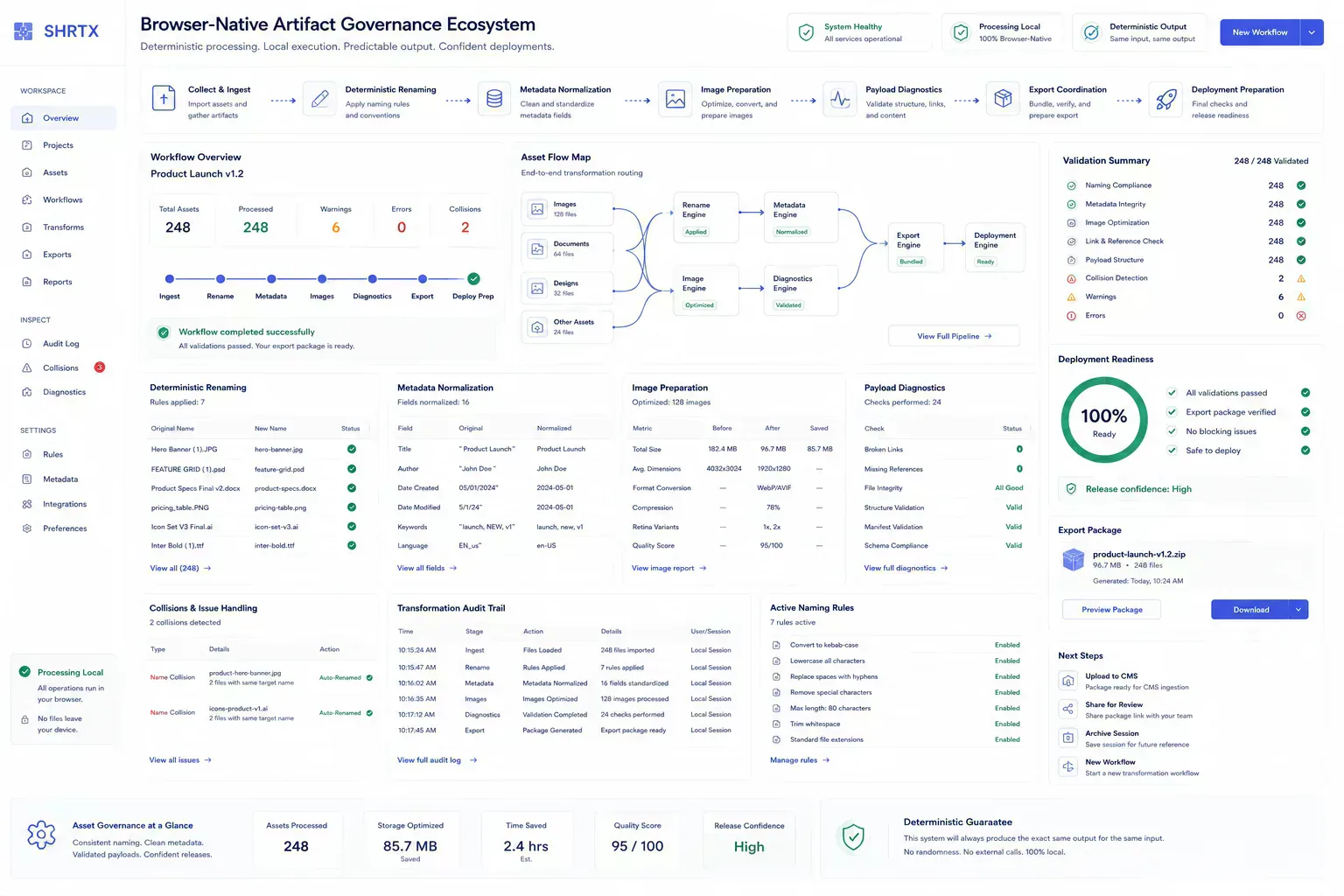
Regex Should Change Structure, Not Intent
Good operational guidance names limits. Browser-native processing is strong for local preparation, but it does not replace external verification, shared state, or regulated review. Automation catches repeatable drift, but human judgment still handles ambiguous meaning.
Those boundaries matter because they prevent the article from overpromising. The reader should leave with a clearer decision model, not a slogan.
Regex should transform structure, not invent intent. If a filename contains a product code, legal marker, locale, or campaign ID, the workflow should pause for review instead of treating it as disposable text.
Catch Duplicate Exports While the Files Are Still Yours
The handoff is where many workflow problems become visible. A file reaches a CMS before its size is understood. A route is linked before redirect behavior is clean. A draft reaches distribution before the headline matches the article. A component enters a release before responsive behavior has been tested with real content.
The practical answer is not to add process everywhere. It is to add the right check before the artifact leaves the person who can still fix it quickly. That check should be small enough to run consistently and specific enough to catch a predictable failure.
For renaming, that check is the preview. Confirm the proposed names, duplicate warnings, skipped files, and final export structure before the batch reaches a CMS, repository, ZIP handoff, or deployment branch.
The same preview also protects review quality. A reviewer should not have to infer whether final-2.png, final-copy.png, and hero_new.webp are related assets, stale exports, or accidental duplicates.
Browser-Local Evidence Before Upload or Commit
A local-first lens does not mean every task must stay in the browser. It means the workflow should identify the point where local preparation is cheaper, safer, or clearer than remote processing. That point may be file inspection before upload, schema review before indexing, screenshot compression before publishing, JSON cleanup before API debugging, or headline review before distribution.
When the browser can provide the first useful answer, the workflow becomes easier to operate. The user can correct the artifact while context is still fresh. The team can avoid unnecessary retries. The platform can avoid receiving data it did not need.
The same lens keeps the guidance specific. It forces a boundary: before upload, before deployment, before indexing, before sharing, before publication, or before a remote system receives sensitive context. Once that boundary is clear, the article can stay useful without padding or keyword repetition.
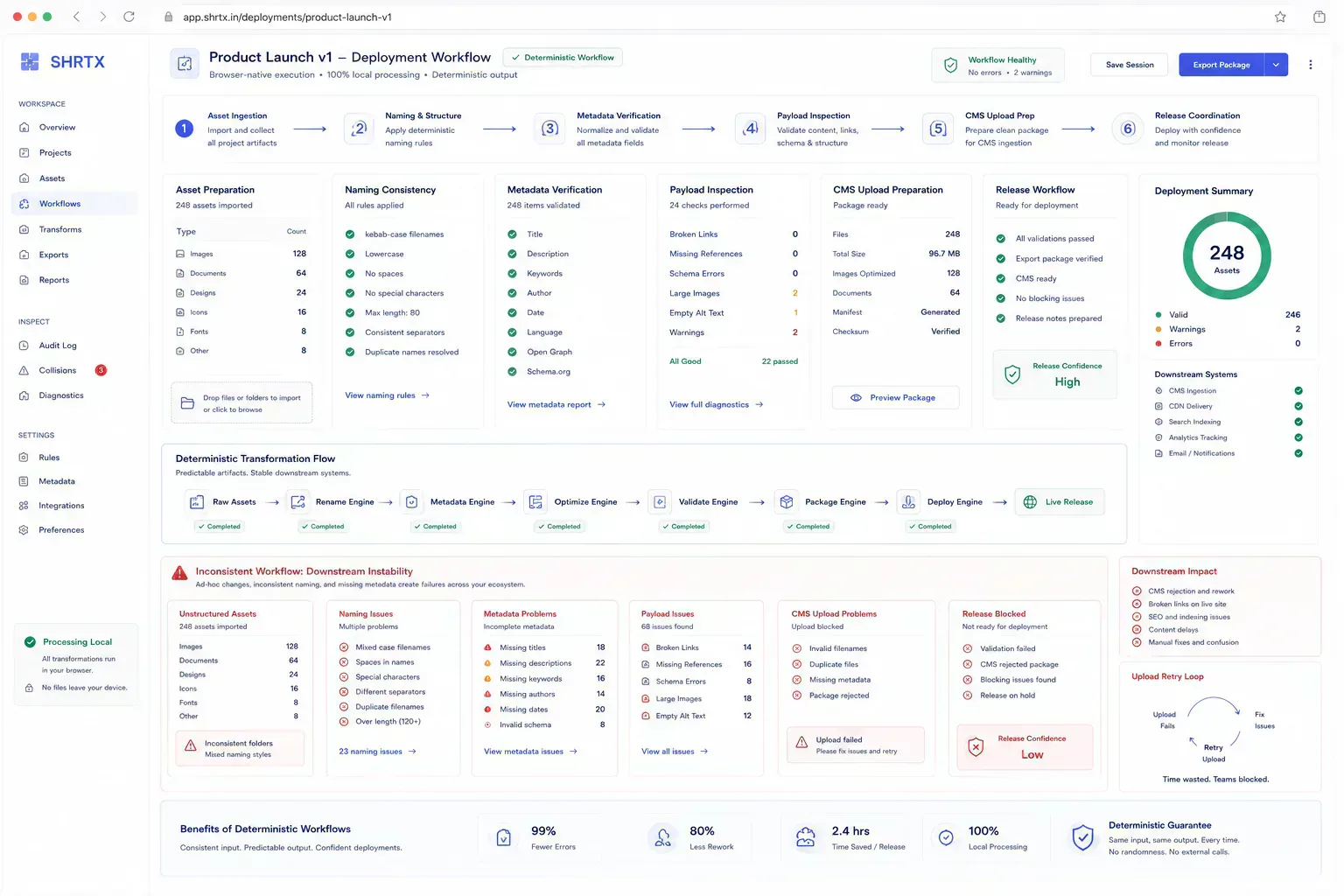
Bulk renaming fits that boundary well. The browser can inspect names, run deterministic transforms, preview changes, and surface collisions before any remote system receives a malformed batch.
That does not make the browser the final authority. It makes it the cheapest place to catch deterministic mistakes before upload, publication, or deployment turns a filename issue into a coordination issue.
Old Exports, Mixed Sources, Real Deadlines
Real workflows have device limits, platform limits, team handoffs, old assets, inconsistent samples, and deadlines. Good guidance should survive those constraints. It should not assume perfect data, perfect network conditions, or a team with unlimited time to inspect every artifact manually.
That is why small browser-native checks matter. They give teams a way to reduce uncertainty while the artifact is still close to the source. The result is not a perfect process. It is a more reliable path from local preparation to the next system.
Filename work hits those constraints quickly. Old exports carry inconsistent prefixes. Camera filenames collide with product images. Spaces and parentheses survive until upload. A stale reference in documentation can keep pointing at the pre-renamed file. The rename step is small, but the consequences travel.
Save the Pattern and the Mapping
The useful documentation is short. Record the source batch, the rename rule, the destination system, and the mapping from original to final filenames. If payload checks were part of the batch, keep the result close to the rename record.
This creates continuity without turning the workflow into a report. The next person does not need to repeat the same diagnostic step, and the team has enough context to understand why the renamed batch is ready for the next system.
That context helps future maintenance because the reason for the transform stays attached to the artifact rather than hidden in chat history. During CMS migrations, image replacement passes, repository cleanup, and deployment reviews, a filename mapping can prevent the next maintainer from guessing how the batch changed.
Predictable Names Keep Asset Handoffs Recoverable
Regex bulk renaming is useful when it is treated as a controlled artifact workflow. Define the naming contract, test against real samples, preview collisions, and pair filename cleanup with asset validation before files enter a CMS, repository, or client delivery path.
The durable value is deterministic artifact preparation. Downstream systems receive predictable filenames, reviewers get a mapping they can audit, and deployment workflows avoid cleanup loops caused by unstable asset names. The regex is only the mechanism. The operational outcome is a batch that can move forward without making the next system discover the problem.
Tools Referenced By Topic
Related Reading
Apr 18, 2026 • 10 min
Building a Custom Developer Toolbox with Browser Utilities
A practical guide to assembling browser-native developer workflows for formatting, validation, URL checks, payload preparation, security review, and deployment preflight.
Feb 9, 2026 • 12 min
Cleaning Messy JSON for API Performance and Reliability
A developer workflow guide to JSON cleanup, validation, schema alignment, payload size, and debugging API data before production handoff.
Jan 28, 2026 • 10 min
A Pre-Deployment Checklist for Web Developers
A practical pre-deployment workflow for web developers covering routes, metadata, redirects, assets, payloads, environment variables, security headers, and validation checks.