
Insights
The Future of Browser-Based Computing Is Workflow Placement
An operational analysis of browser-based computing, local-first tools, WebAssembly, modern Web APIs, and where browser workloads fit against cloud systems.
The Future of Browser-Based Computing Is Workflow Placement
An operational analysis of browser-based computing, local-first tools, WebAssembly, modern Web APIs, and where browser workloads fit against cloud systems.
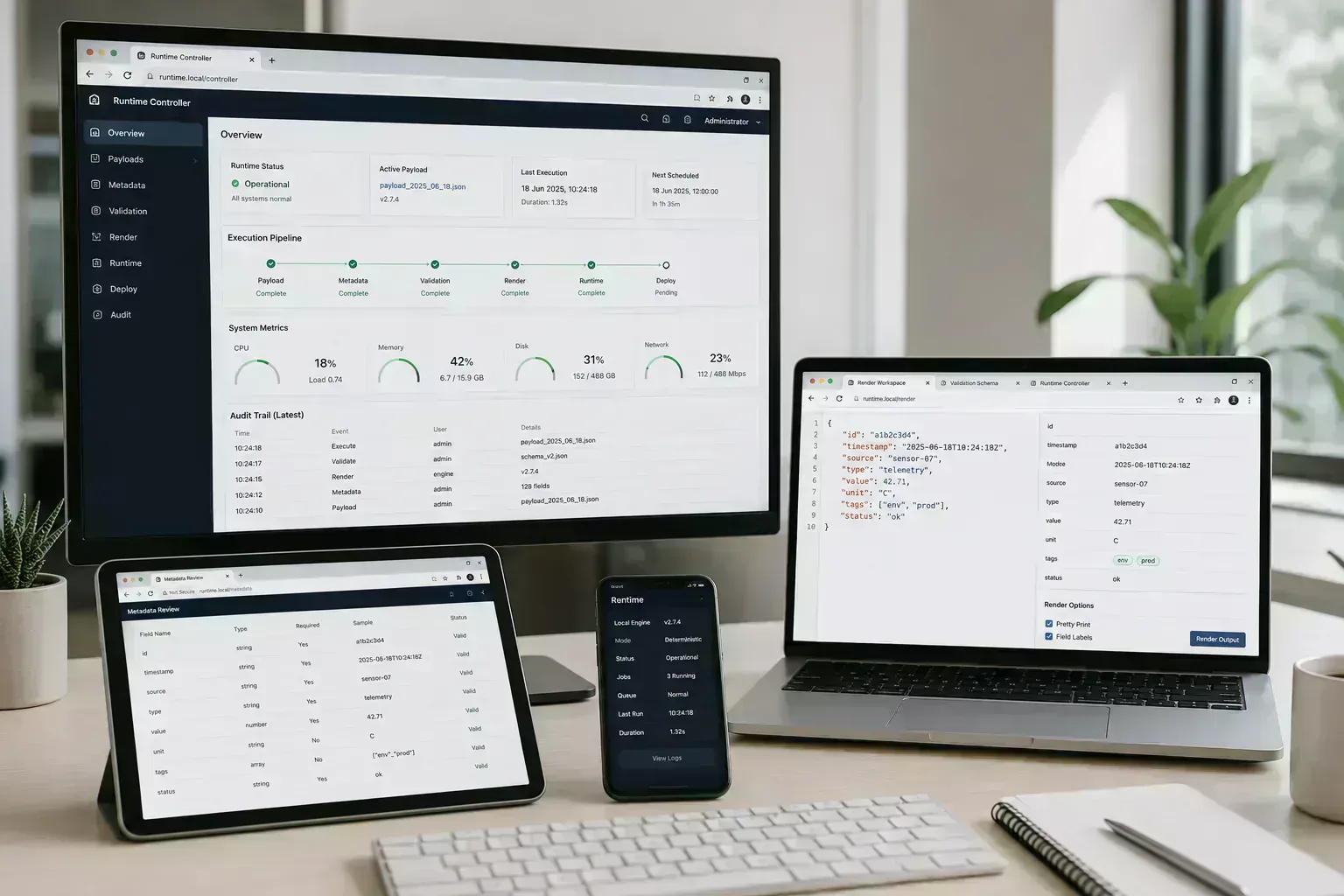
The browser has already become the place where a surprising amount of work begins: files are inspected, screenshots are compressed, JSON is cleaned, layouts are planned, links are tested, and documents are prepared before they reach another system.
That shift is not only about better APIs. It reflects a practical preference for shorter feedback loops. Users want to know whether an artifact is ready before they upload, publish, deploy, or share it.
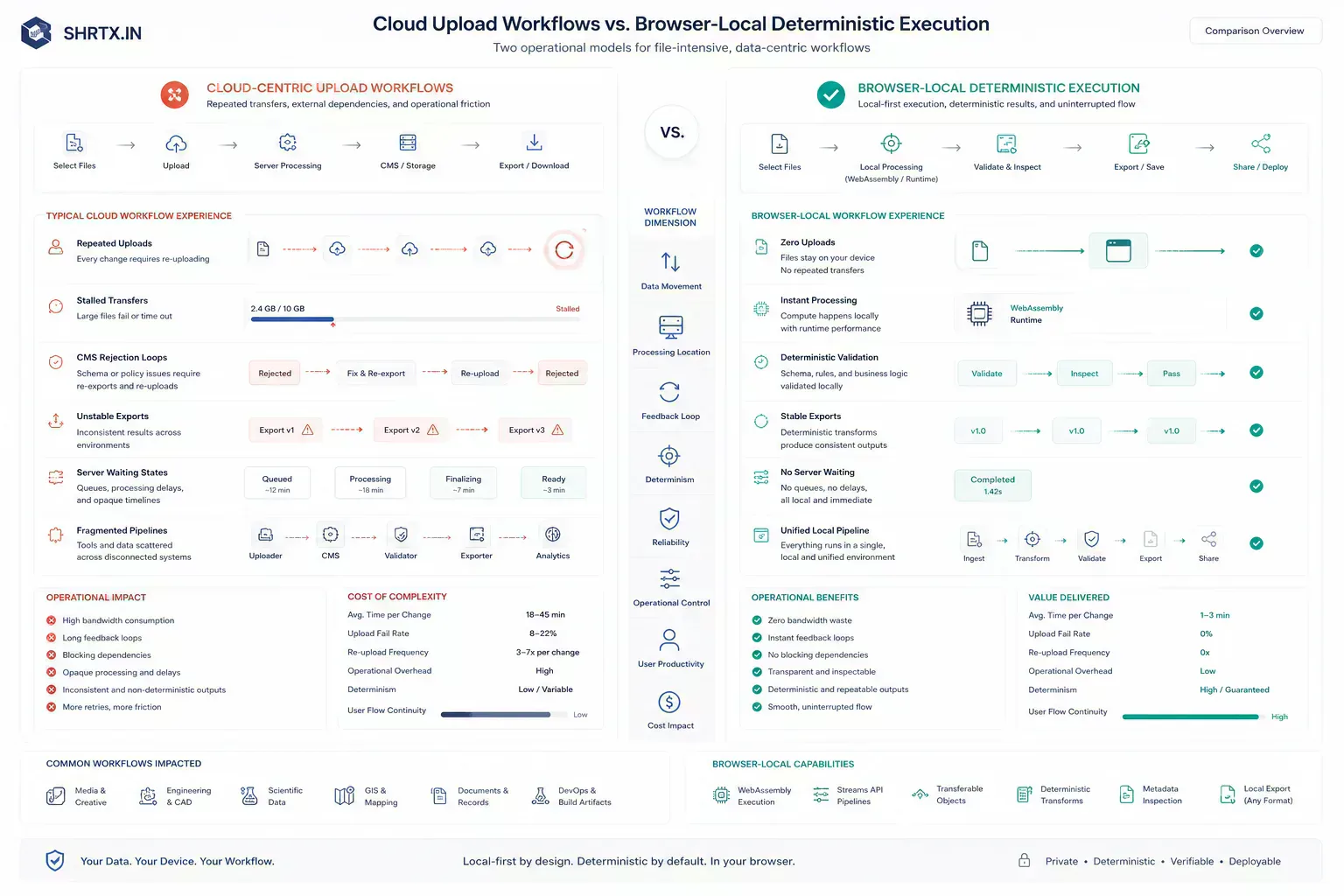
A stalled transfer, a rejected CMS upload, or a broken mobile fallback is not a future-of-computing problem. It is ordinary workflow friction.
Browser-based computing is less about replacing every application and more about putting the first useful check closer to the work. The migration is operational: deterministic tasks move toward local execution, while shared authority stays with systems built to hold it.
Quick Answer
Browser-based computing is growing because local checks shorten the path between artifact and decision. The browser is already a serious workflow runtime when File APIs, Streams, Workers, Canvas, WebAssembly, and storage boundaries are used with realistic constraints.
A Browser Tab Now Sits Between Artifact and Handoff
A browser tab can be a calculator, parser, image processor, layout planner, file inspector, or URL diagnostic surface. That makes it a boundary between raw local artifacts and external systems.
When the browser can answer the first question locally, the user avoids unnecessary upload, queueing, account creation, and support friction. That is the practical force behind many local execution utilities.
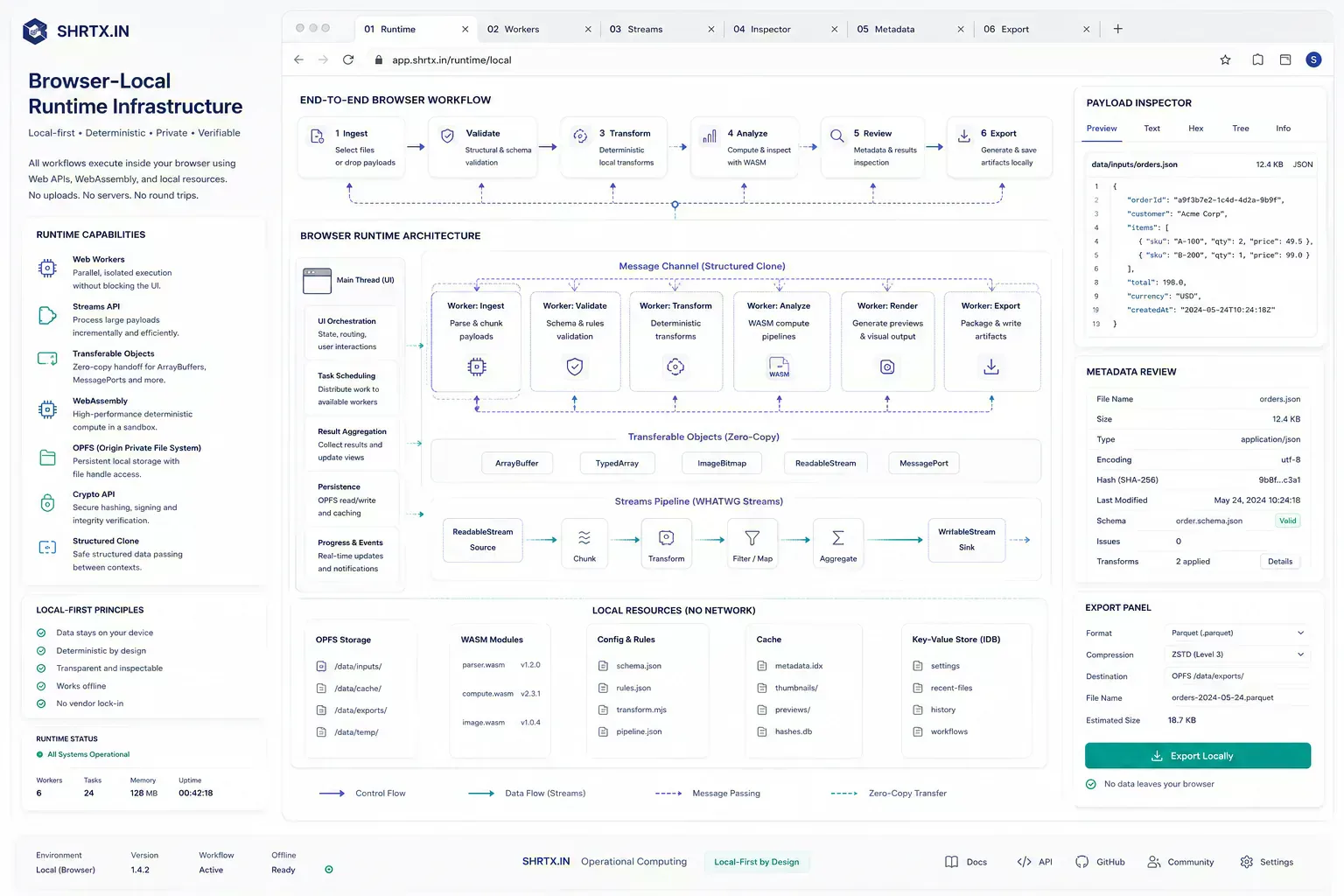
The boundary is technical as well as editorial. A selected file can enter through the File API, move through a Stream or ArrayBuffer, be handed to a Web Worker with a transferable object, rendered through Canvas, or processed through a WebAssembly module. Done carefully, the main thread stays responsive. Done casually, the tab freezes, the mobile browser reloads, or the user retries the same export without knowing what failed.
Small Checks Feel Wrong When They Become Jobs
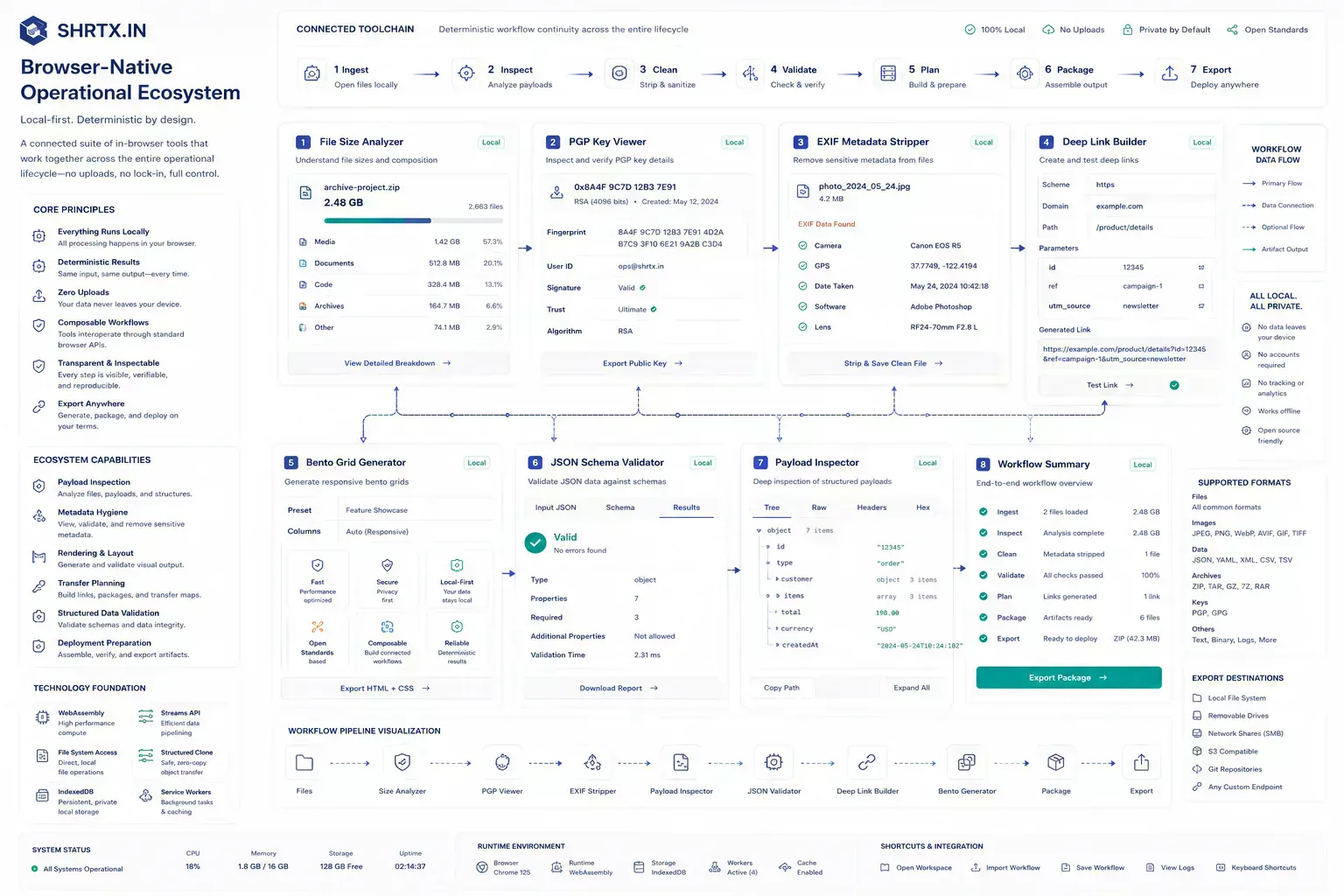
Users now expect small operations to feel immediate. Formatting JSON, checking file size, stripping EXIF metadata, testing a route, planning a bento layout, or validating a schema should not feel like submitting a job.
SHRTX tools such as File Size Analyzer, PGP Key Viewer, EXIF Metadata Stripper, Deep Link Builder, Bento Grid Generator, and JSON Schema Validator reflect that expectation in different workflows. The common thread is not that every tool is visual or every task is simple. The common thread is placement: inspect or prepare the artifact while it is still local and the user still has context.
| Workflow | Browser-native placement | Remote system still needed for |
|---|---|---|
| Upload readiness | File size, dimensions, format, and metadata checks before transfer | Final CMS storage, access control, and publishing state |
| Cryptographic inspection | Local PGP key parsing and metadata review | Trust decisions, key distribution, and identity verification |
| API payload review | JSON validation, schema checks, and representative sample cleanup | Production API authority, authentication, and persistence |
| Responsive interface planning | Layout spans, hierarchy review, and breakpoint planning | Product integration, analytics, and release verification |
Shared Authority Still Belongs Outside the Tab
Browser-based computing does not remove backend systems. Collaboration, identity, payments, storage, external monitoring, and trusted network checks still need infrastructure.
The architectural improvement is placement. Do local preparation locally, use cloud systems where shared authority or scale is necessary, and avoid making every small check dependent on a remote service.
This is the part that keeps the argument grounded. The browser is not a universal replacement for desktop software or backend infrastructure. It is a strong execution layer for scoped, deterministic, user-owned work. Once the workflow requires shared truth, durable state, collaboration, billing, abuse control, or external observation, the server remains the correct boundary.
Local Execution Fails When the Runtime Is Ignored
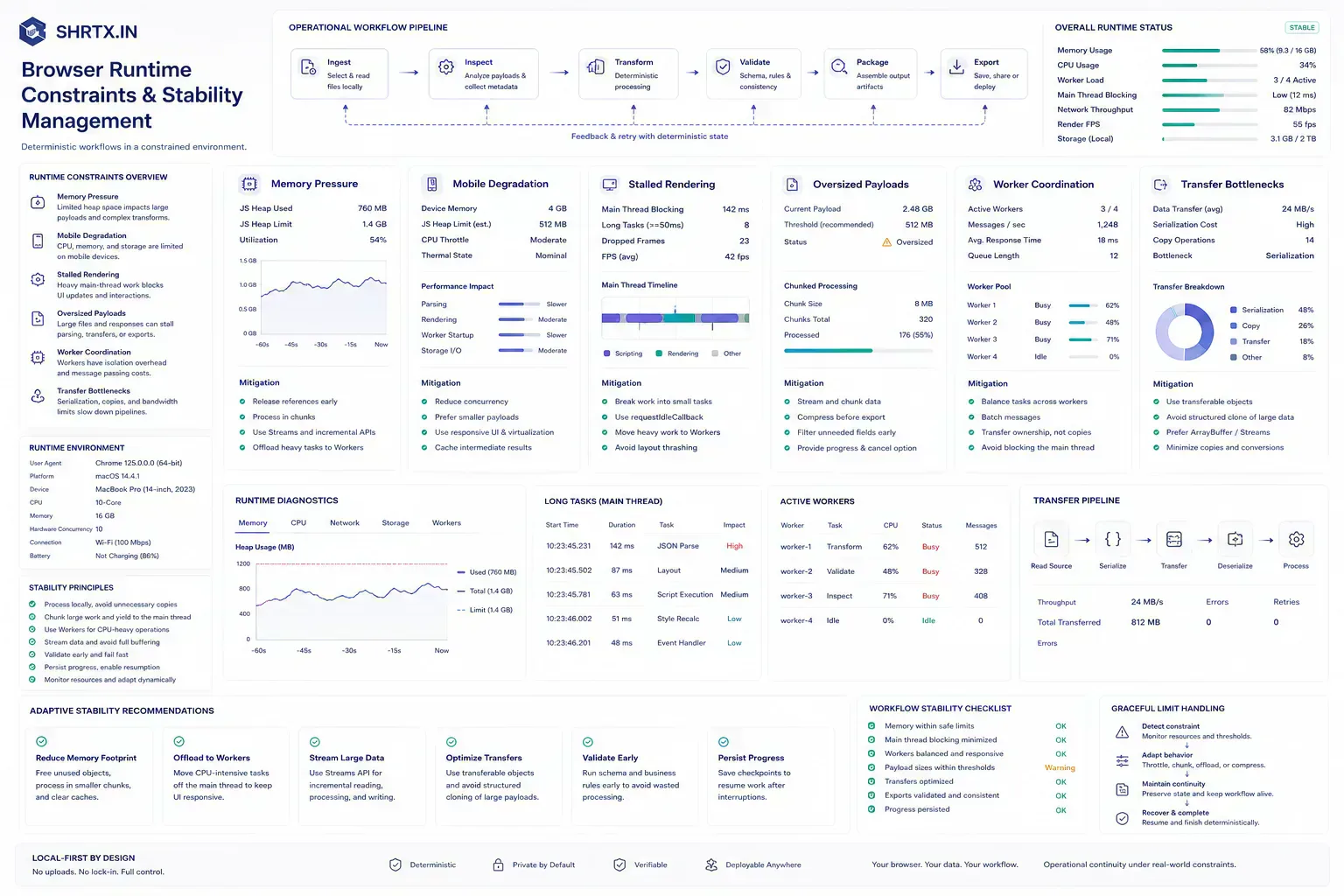
The browser can also be overloaded. Heavy libraries, main-thread processing, memory pressure, codec differences, and mobile constraints can make local tools feel fragile if the frontend is not engineered carefully.
Runtime-local work needs workers, progressive feedback, dynamic loading, cancellation, and clear error states. Local execution is a strong boundary only when the interface respects browser limits.
const buffer = await file.arrayBuffer()

worker.postMessage(
  { name: file.name, type: file.type, buffer },
  [buffer],
)
That small transfer pattern matters because large files should not be copied more than necessary. The implementation detail becomes workflow quality. A tool that keeps the main thread available feels local. A tool that blocks input while reading a large payload feels like a broken upload flow even when no network request was made.
Product Work Already Starts With Preparation Tasks
Product teams increasingly build around preparation workflows: upload readiness, media optimization, structured data cleanup, responsive layout planning, cryptographic inspection, deep-link validation, and route review. These tasks happen before the system of record receives the artifact.
A local-first utility platform becomes useful infrastructure because it supports those preparation steps without demanding a larger product workflow.
That is visible during ordinary production work. A content team checks a batch in File Size Analyzer before upload. A security reviewer opens a public PGP key locally before deciding what trust process still applies. A marketer strips EXIF metadata before sharing campaign images.
A frontend engineer plans a bento dashboard layout before Tailwind spans get committed. A developer validates a JSON schema before a payload enters deployment-night debugging.
The Useful Model Has Three Boundaries
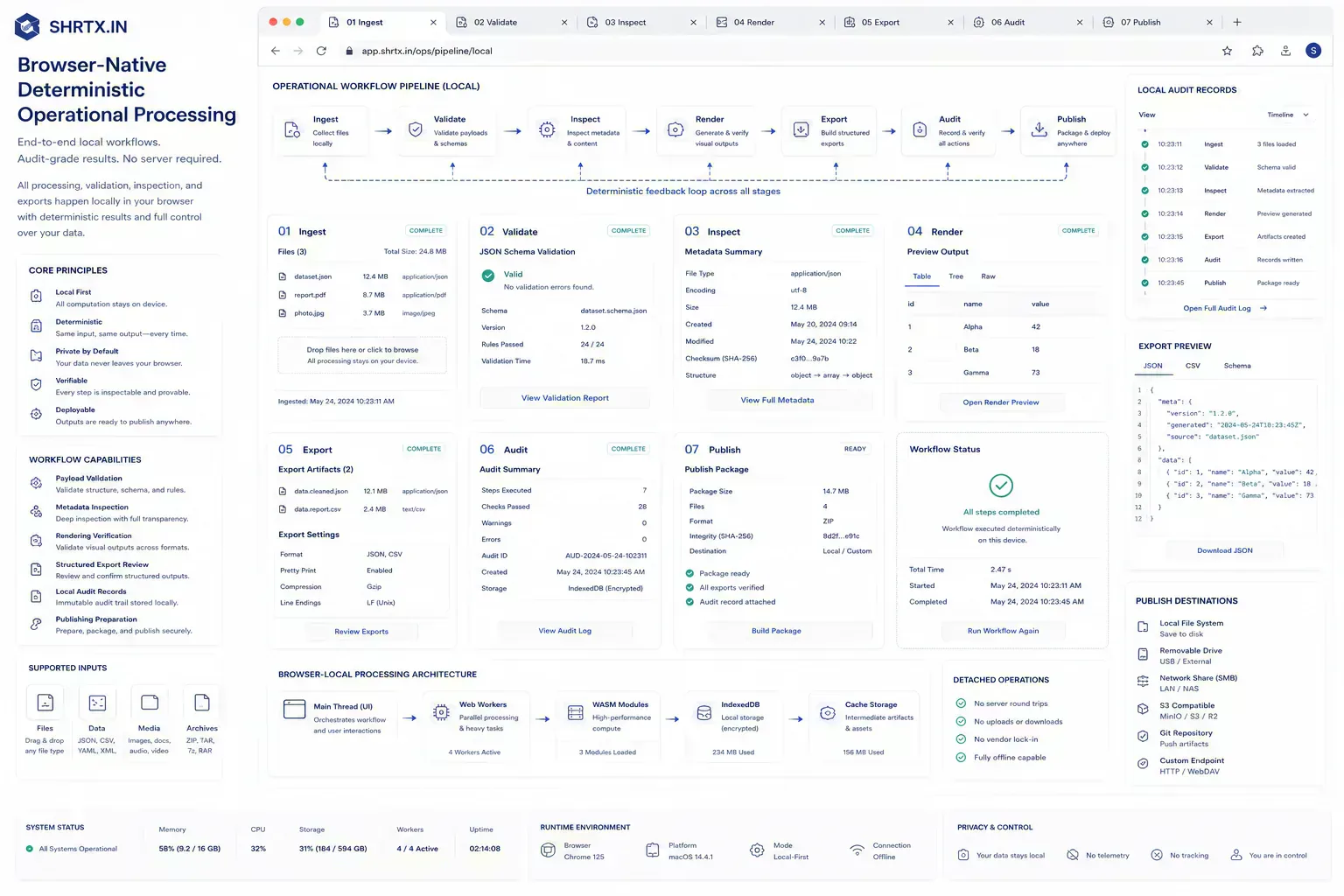
The model is not desktop versus cloud. It is local preparation, browser execution, and remote authority working together. Each layer handles the work it is best suited to handle.
That model fits modern teams because their work is distributed across many systems. The browser becomes the place where artifacts are cleaned, checked, and shaped before handoff.
{
  "artifact": "dashboard-screenshot.webp",
  "localChecks": ["file-size", "dimensions", "metadata"],
  "handoff": "cms-upload",
  "remoteAuthority": "publishing-system",
  "remainingRisk": "CMS format and size limits may change"
}
The record is intentionally small. It gives the next person enough context to avoid repeating the same inspection and enough humility to know what still depends on the destination system.
Handoffs Expose Whether the Runtime Choice Worked
Browser-based computing becomes useful when the guidance survives a normal handoff. The artifact may be a file, route, payload, screenshot, draft, schema block, key block, or component state. The important point is that someone else will receive it and make a decision from it.
That is where vague advice fails. The next person needs to know what was checked, what risk remains, and which constraint can still break late. In practical teams, the best workflow guidance reduces repeated diagnosis rather than adding a decorative process layer.
For insight work, the useful lens is practical consequence: the trend only matters if it changes how teams place work, prepare artifacts, or manage trust.
Catch the Defect Before the Slow System Owns It
Many failures are cheaper to catch while the artifact is still local. A file can be inspected before upload. A URL can be validated before indexing.
A JSON sample can be checked against a schema before it enters a ticket. A screenshot can be compressed before the CMS rejects the media batch.
Client-side utilities fit this point in the workflow because they provide the first useful answer without making every small check a server-side event.
The delay is often mundane. A mobile upload restarts at 82 percent. A PDF passes review but fails the platform limit. A deep link works on one device and opens the wrong fallback on another.
A JSON payload looks fine in a ticket but fails when the dashboard hydrates real data. These are not edge cases for the teams that handle them every week.
Classify the Work Before Choosing the Boundary
The article should give readers a way to classify the work in front of them. If the task is local, inspect it locally. If the task needs external authority, use the correct remote system. If the task affects publication, check metadata, payload, links, and visible output together.
That distinction keeps the guidance practical. It also keeps tool mentions honest because each link should continue the work rather than interrupt it.
Add the Check Where the Fix Is Still Cheap
The handoff is where many workflow problems become visible. A file reaches a CMS before its size is understood. A route is linked before redirect behavior is clean.
A draft reaches distribution before the headline matches the article. A component enters a release before responsive behavior has been tested with real content.
The practical answer is not to add process everywhere. It is to add the right check before the artifact leaves the person who can still fix it quickly. That check should be small enough to run consistently and specific enough to catch a predictable failure.
Local First Means Earlier Evidence, Not Total Ownership
A local-first lens does not mean every task must stay in the browser. It means the workflow should identify the point where local preparation is cheaper, safer, or clearer than remote processing. That point may be file inspection before upload, schema review before indexing, screenshot compression before publishing, JSON cleanup before API debugging, or headline review before distribution.
When the browser can provide the first useful answer, the workflow becomes easier to operate. The user can correct the artifact while context is still fresh. The team can avoid unnecessary retries. The platform can avoid receiving data it did not need.
The same lens keeps the guidance specific. It forces a boundary: before upload, before deployment, before indexing, before sharing, before publication, or before a remote system receives sensitive context. Once that boundary is clear, the article can stay useful without padding or keyword repetition.
Offline continuity belongs in this boundary as well. Browser-side work can continue when a network connection is unreliable, but only if the tool avoids assuming every action has a server round trip behind it. IndexedDB, OPFS, and in-memory state can help, but they need clear recovery behavior. Otherwise "local" work still breaks like a remote workflow.
Memory, Mobile Tabs, and Payload Size Still Decide Outcomes
Real workflows have device limits, platform limits, team handoffs, old assets, inconsistent samples, and deadlines. Good guidance should survive those constraints. It should not assume perfect data, perfect network conditions, or a team with unlimited time to inspect every artifact manually.
That is why small browser-local checks matter. They give teams a way to reduce uncertainty while the artifact is still close to the source. The result is not a perfect process. It is a more reliable path from local preparation to the next system.
There are still hard edges. Canvas pipelines can create memory spikes with large images. WebAssembly modules can improve CPU-heavy loops but still need loading, error, and fallback states. Streams can reduce peak memory, but not every transform is stream-friendly.
Mobile browsers can discard tabs under pressure. A useful local-first platform names these limits instead of hiding them behind "runs locally" language.
Leave Enough Runtime Context for the Next Maintainer
Useful documentation is short. Name the artifact, the destination, the check that was run, and the risk that remains. If a file was inspected, record the payload result. If a deep link was built, record the fallback behavior.
If EXIF metadata was stripped, record that boundary. If a PGP key was viewed, record what was inspected and what still requires external trust. If a schema was validated, keep the representative sample.
This creates continuity without turning the workflow into a report. The next person does not need to repeat the same diagnostic step, and the team has enough context to understand why the artifact is ready for the next system.
The value shows up later during metadata refreshes, content migrations, image replacement passes, and deployment-night debugging. A short note about what was checked can prevent the next maintainer from treating the page as isolated prose. It shows how the article connects to product behavior, validation rules, runtime boundaries, and adjacent tools that support the workflow.
Placement Discipline Matters More Than Future Language
Browser-based computing matters where it shortens the distance between problem and first answer. The durable architecture keeps local checks local, reserves remote systems for shared authority, and treats the browser as a serious workflow runtime rather than a thin doorway to the cloud.
That is already happening in practical work: payload inspection before upload, metadata cleanup before sharing, route review before indexing, schema validation before integration, and responsive planning before implementation. The future language is less useful than the placement discipline. Put deterministic work near the artifact, respect browser limits, and keep remote systems focused on the authority they actually need to hold.
Tools Referenced By Topic
Related Reading
Feb 5, 2026 • 7 min
The Rise of Micro-Utilities Over Bloated SaaS
An operational analysis of why users adopt focused browser utilities for file, image, data, URL, and developer workflows instead of heavy multipurpose SaaS platforms.
Apr 4, 2026 • 10 min
India's Role in the Global Open-Source Web Utilities Ecosystem
An operational look at how Indian developers contribute to open-source utilities, browser tooling, local-first workflows, and practical web infrastructure.
Feb 24, 2026 • 7 min
Privacy as a Premium Software Signal
A practical analysis of privacy-first product value, browser-native workflows, data minimization, trust signals, and why privacy now affects software quality perception.