
Insights
The Rise of Micro-Utilities Over Bloated SaaS
An operational analysis of why users adopt focused browser utilities for file, image, data, URL, and developer workflows instead of heavy multipurpose SaaS platforms.
The Rise of Micro-Utilities Over Bloated SaaS
An operational analysis of why users adopt focused browser utilities for file, image, data, URL, and developer workflows instead of heavy multipurpose SaaS platforms.
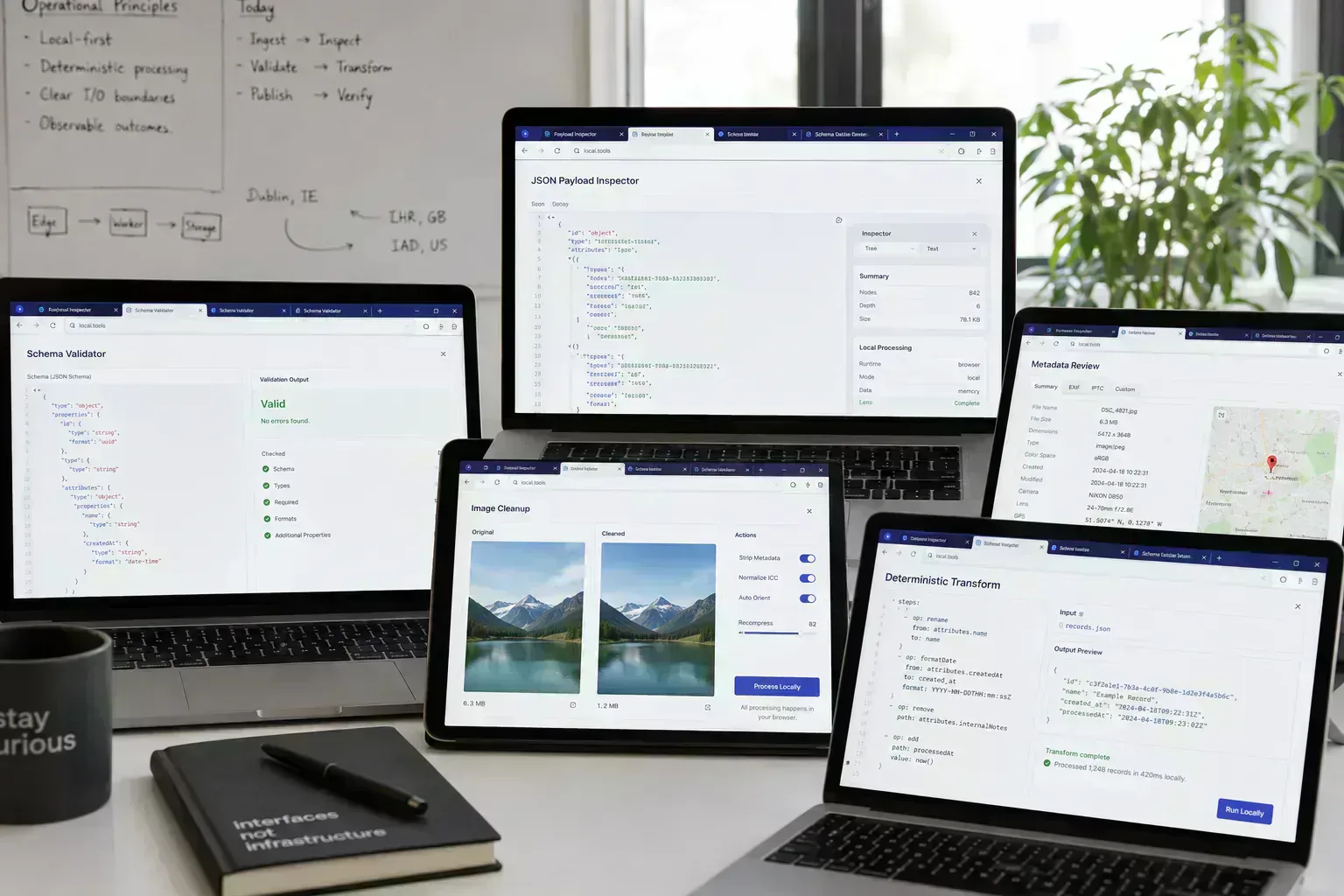
People reach for focused utilities when the task is smaller than the system around it. A file needs inspection before upload. A schema sample needs validation before it enters a ticket. A deep link needs a quick route check before a campaign page goes live.
A full SaaS platform may still be the right place for collaboration, storage, billing, approval state, and shared reporting. The friction appears when a narrow local task has to pass through accounts, projects, uploads, permissions, dashboards, and saved state before the user gets the first useful answer.
The useful distinction is compute placement, not tool ideology. Some work belongs in a shared product. Some work is cheaper, clearer, and less disruptive when it runs locally in the browser before the artifact reaches another system.
Quick Answer
Micro-utilities work when the task is narrow, deterministic, and close to the artifact. They reduce operational interruption when they inspect, transform, or validate local material before a slower system receives it.
Task Size Determines Compute Placement
A small utility is not valuable because it has fewer features. It is valuable when the workflow does not need a workspace, saved state, team permissions, or a reporting dashboard. The user needs an answer before the next upload, commit, ticket, or publish step.
That is why browser-local utilities remain useful inside mature teams. They sit at the edge of larger systems and remove repeated checks from expensive coordination paths.
SaaS Overhead Appears When Narrow Checks Become Administration
Operational drag appears when a file conversion asks for login, a preview requires a project, or a diagnostic check stores data that the user did not need to persist. The problem is not SaaS itself. The problem is routing a single-artifact decision through a system built for ongoing product state.
The cost shows up in small places. Uploads stall, exports are repeated, CMS media batches get rejected, and dashboards become another surface to keep clean. Subscription-heavy workflows can also create review friction when a temporary check becomes a licensed seat problem.
Browser-Local Processing Reduces Upload Coordination Costs
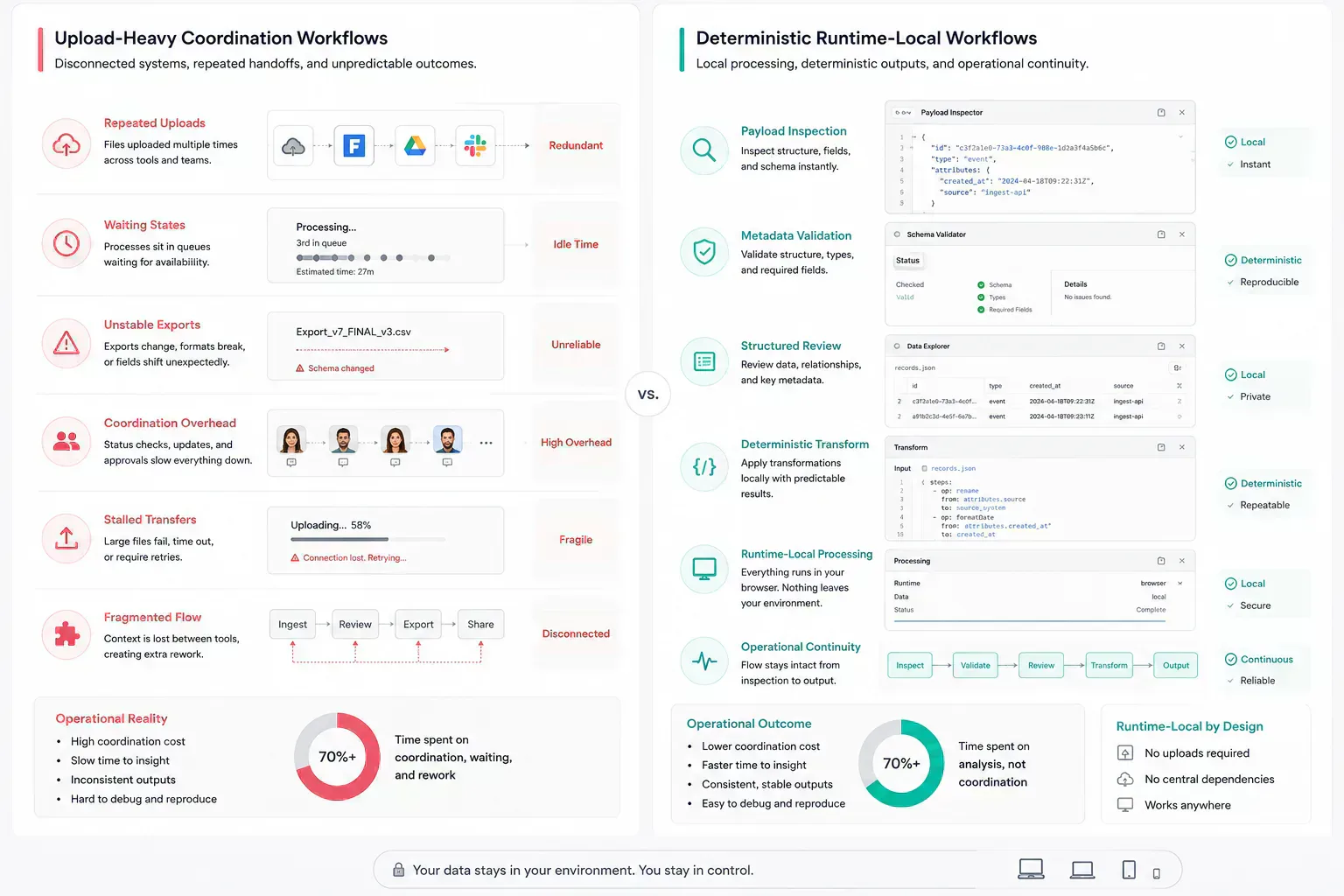
Browser-local processing is useful when the selected file or payload can be inspected before it crosses a network boundary. The File API, Streams API, Web Workers, Canvas, Web Crypto, and WebAssembly all support local execution patterns when the task is bounded.
That matters during ordinary work. A content operator can inspect a media batch in File Size Analyzer before a CMS upload. A developer can validate a JSON sample in JSON Schema Validator before a deployment-night debugging thread gets longer. A security reviewer can open PGP Key Viewer before deciding which trust process still applies.
| Workflow pressure | Heavy platform path | Focused browser-local path |
|---|---|---|
| CMS upload readiness | Upload first, wait for rejection, resize or recompress, then retry | Inspect size, dimensions, and format locally before the transfer |
| API payload review | Attach samples to tickets and wait for a shared environment to fail | Validate schema and clean representative JSON before handoff |
| Deep link routing | Push a campaign link into a dashboard before route behavior is clear | Build and inspect route parameters before publication |
| Interface composition | Open a design system workspace for a small layout experiment | Plan bento spans and breakpoint behavior before implementation |
Runtime Predictability Matters More Than Tool Size
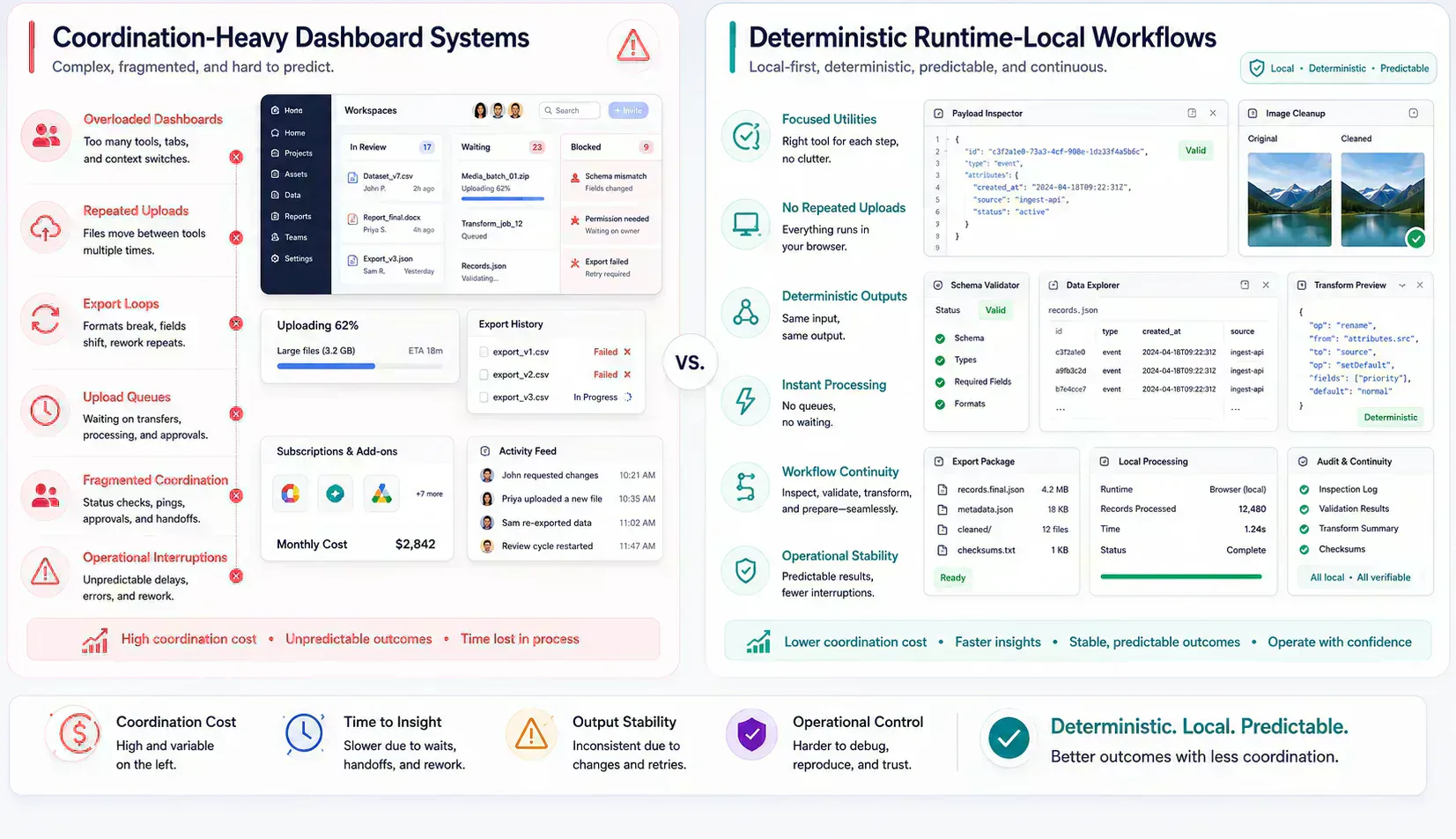
Focused tools still need serious runtime behavior. A browser-local utility that freezes on a large payload, loses state on mobile, or hides processing errors is not operationally better than a heavier product. It has only moved the failure into a smaller interface.
Good runtime-local tools use the browser deliberately. Large file reads should avoid unnecessary copies. Expensive transforms should leave the main thread. WebAssembly can make deterministic parsing or encoding practical, but it does not remove memory pressure or mobile limits.
const buffer = await file.arrayBuffer()

worker.postMessage(
  {
    name: file.name,
    type: file.type,
    buffer,
  },
  [buffer],
)
The transfer list is a small implementation detail with visible workflow impact. When the buffer moves to a Worker instead of being copied repeatedly, the page is less likely to lock during file inspection.
Small Utilities Still Need Shared Operational Standards
Small does not mean loose. A micro-utility still needs clear processing boundaries, stable metadata, accessible UI, specific error states, and workflow-aware content. Without those standards, a tool ecosystem becomes another cluttered surface.
SHRTX tools should feel independent without becoming isolated. EXIF Metadata Stripper belongs near upload preparation. Deep Link Builder belongs near route handoff work. Bento Grid Generator belongs near responsive interface planning, not as a decorative layout toy.
Focused Runtime-Local Workflows Reduce Operational Friction
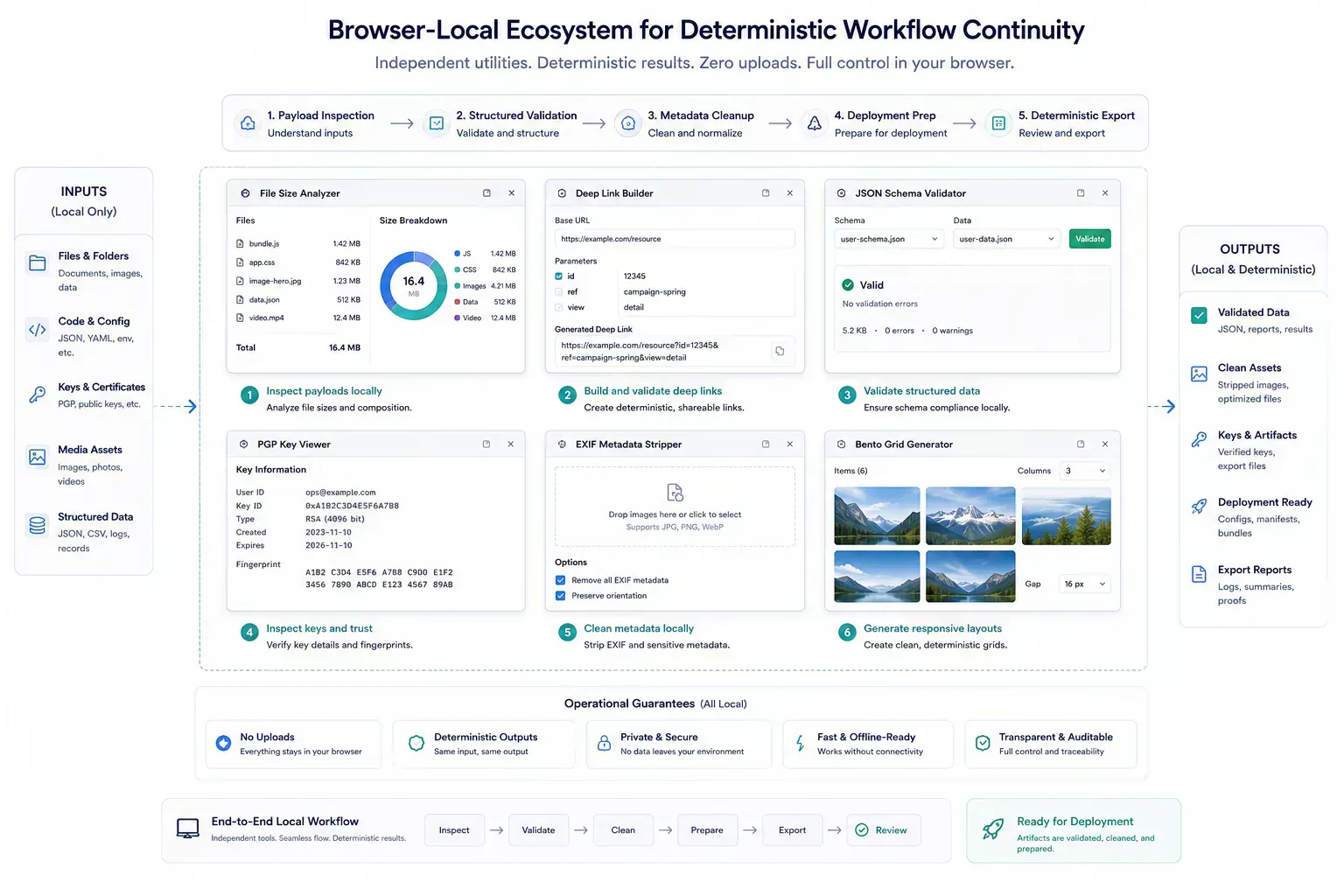
A healthy utility ecosystem gives users small tools with clear adjacency. After checking file size, compression or metadata stripping may be the next step. After building a deep link, redirect behavior or preview metadata may need review.
The platform becomes coherent when those next steps are available without turning every utility into a single product shell. The work stays focused, but the workflow does not dead-end.
upload-readiness handoff
1. Inspect media size before CMS upload
2. Strip EXIF metadata when sharing context does not require it
3. Compress oversized screenshots before the batch transfer
4. Record the remaining risk when quality, format, or dimensions still need review
That note is not process theater. It prevents the next person from repeating the same diagnostic step after the file has already entered a slower system.
Local Checks Belong Before Slow Systems Receive The Artifact
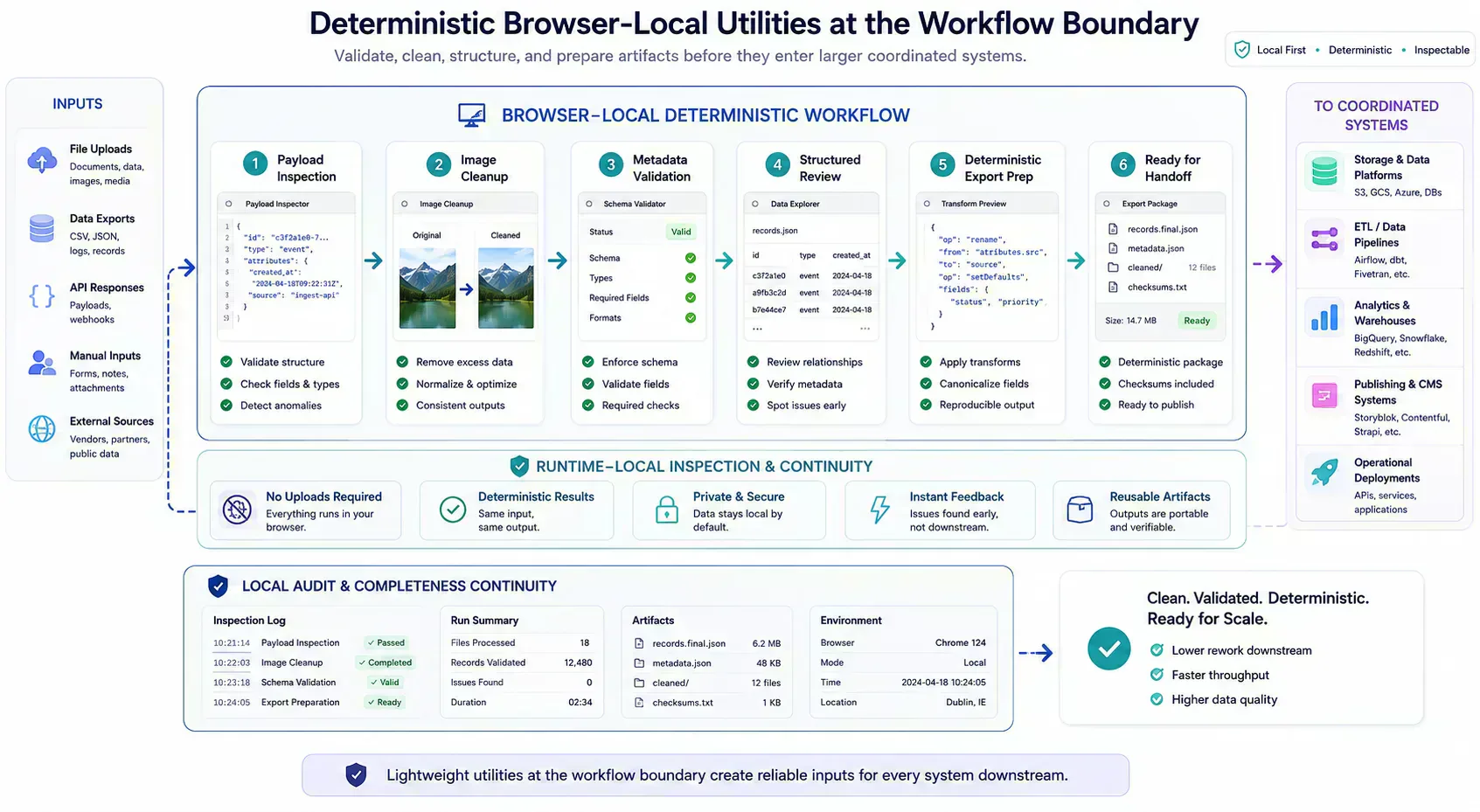
Many failures are cheaper to catch while the artifact is still local. A file can be resized before upload. A URL can be normalized before indexing.
A JSON sample can be validated before it enters a ticket. A screenshot can be compressed before the CMS rejects the media batch.
Browser-native utilities fit this point in the workflow because they provide the first useful answer without making every small check a server-side event. The result is less waiting, fewer retries, and less accidental data movement.
When The Shared Platform Is Still The Correct Boundary
Micro-utilities are not a replacement for every enterprise system. Collaboration, identity, audit logs, billing, permissions, durable storage, abuse controls, and shared reporting still need systems with authority. A local tool should not pretend to own those boundaries.
The better model is placement. Run deterministic preparation locally when it reduces interruption. Move into SaaS when the task needs shared truth, persistent state, or controlled access.
Runtime And Mobile Constraints Set Practical Limits
Local-first workflows still have limits. Mobile browsers can reload under memory pressure. Large payloads can block interaction if the tool reads everything at once. Some codecs, cryptographic operations, and binary transforms need careful Worker or WebAssembly placement.
This is where practical engineering matters. A focused utility should expose progress, support cancellation when possible, and fail with a useful message. Small tools earn trust by handling limits plainly, not by claiming that local execution removes every constraint.
Handoff Notes Keep Micro-Utility Work Maintainable
The handoff is where many workflow problems become visible. A file reaches a CMS before its size is understood. A route is linked before redirect behavior is clean.
A payload reaches a ticket before its schema has been checked. A component enters a release before responsive behavior has been tested with real content.
The practical answer is not to add process everywhere. It is to add the right check before the artifact leaves the person who can still fix it quickly. That check should be small enough to run consistently and specific enough to catch a predictable failure.
Lightweight Utilities Work Best At Workflow Boundaries
Micro-utilities are rising because many workflows need precise local checks before heavier systems get involved. The strongest model keeps each tool focused, connects related tasks honestly, and uses browser-native execution where local processing reduces coordination cost.
Tools Referenced By Topic
Related Reading
Feb 24, 2026 • 7 min
Privacy as a Premium Software Signal
A practical analysis of privacy-first product value, browser-native workflows, data minimization, trust signals, and why privacy now affects software quality perception.
Jan 14, 2026 • 11 min
The Future of Browser-Based Computing Is Workflow Placement
An operational analysis of browser-based computing, local-first tools, WebAssembly, modern Web APIs, and where browser workloads fit against cloud systems.
Apr 4, 2026 • 10 min
India's Role in the Global Open-Source Web Utilities Ecosystem
An operational look at how Indian developers contribute to open-source utilities, browser tooling, local-first workflows, and practical web infrastructure.